

The Bottom Line
BugHerd is ranked #2 in our Testing & QA category. Pin client feedback onto live pages with technical metadata attached. We rate it 4.9/5.
Best for
Agencies and studios working with non-technical clients; teams where feedback currently arrives by email, Slack screenshot and phone call.
Considerations
Teams needing automated regression, cross-browser or end-to-end testing, which is TestMu AI and TestDriver.ai territory; all-engineer internal teams already comfortable filing precise reproducible tickets.
Executive Summary & Independent Verdict
BugHerd appears in the Testing & QA category, and the first thing to establish is that it is not a testing tool. It does not run assertions, it does not check browsers, and it will never tell you that a regression appeared. What it does is capture feedback from humans - usually clients who are not technical - and turn that feedback into something a developer can act on without a follow-up conversation.
That distinction matters because it determines whether you will be happy with it. People who buy it expecting automated quality assurance are disappointed. People who buy it expecting a better version of “the client emailed a screenshot with an arrow drawn on it” are delighted. Its real competitors are Marker.io and Usersnap, not TestMu AI or TestDriver.ai.
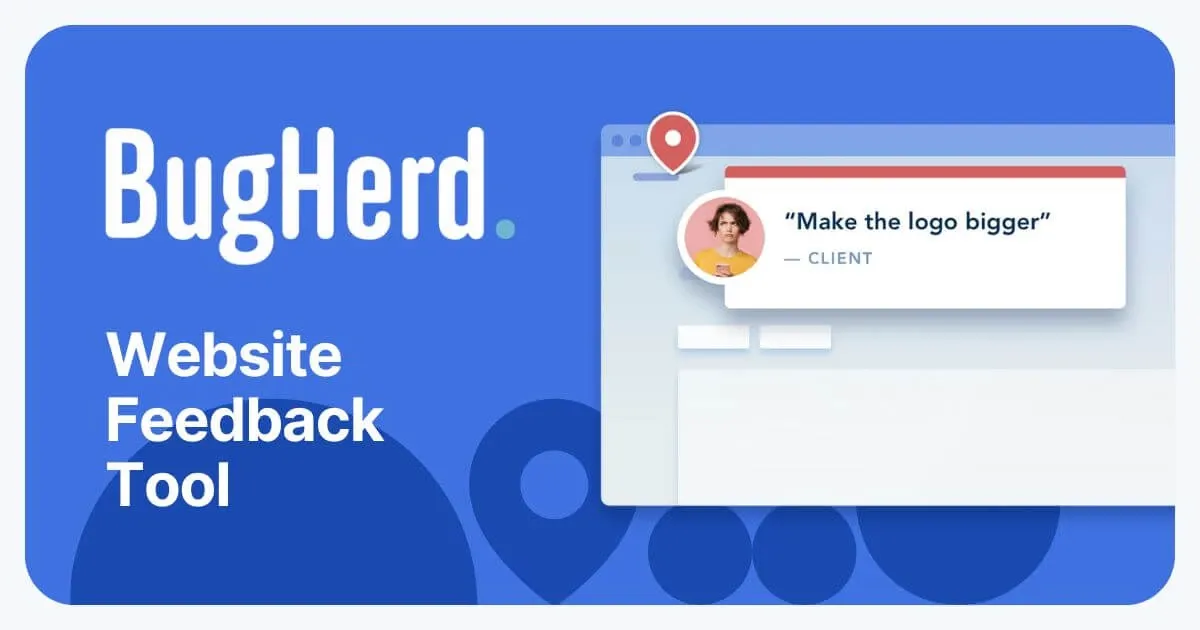
We place BugHerd at #2 in Testing & QA. A feedback tool ranking that highly in a testing category is deliberate. For agencies and studios, the bottleneck in shipping is rarely finding bugs automatically - it is getting an unambiguous, reproducible description of what the client thinks is wrong, from someone who does not know what a browser version is and should not have to.
The Pricing Model That Defines the Product
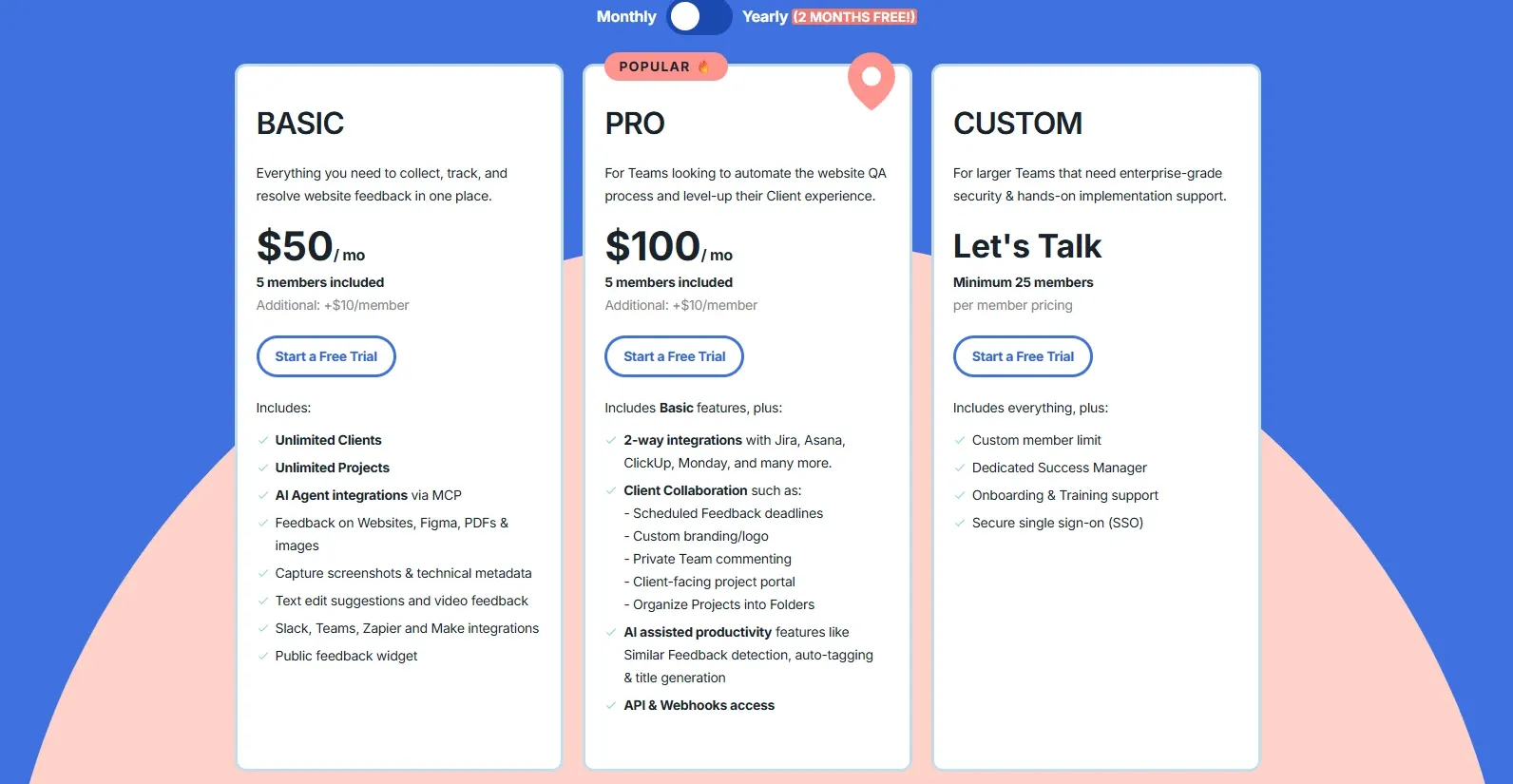
Read BugHerd’s pricing before its feature list. The pricing tells you what the product is for more clearly than any feature description.
Unlimited guests on every plan
Every tier, including the $42 entry plan, includes unlimited guests and unlimited client users. You pay only for members - the people on your team.
For an agency, this is the entire commercial argument. Your clients are guests. Inviting a client’s marketing director, two stakeholders, a copywriter and an external consultant to comment on a staging site costs nothing at all. Multiply that across fifteen concurrent client engagements and compare it with any tool that charges per collaborator, and the difference is not marginal - it is the difference between a tool you can deploy freely and one you ration.
The behavioural consequence matters as much as the cost. When adding a reviewer is free, you add everyone who should be reviewing. When it costs $12 a seat, someone forwards a screenshot instead, and the feedback arrives outside the system where it cannot be tracked.
Unlimited projects on every plan
The same applies to projects. An agency running thirty concurrent client engagements is still on the $42 Standard plan as far as project count is concerned.
What forces an upgrade is members and storage, not workload. That is an unusual and customer-friendly arrangement in a category where project caps are the standard upsell lever.
When to buy members instead of upgrading
Additional members cost $8 per month on monthly billing, or $6.60 on annual. That creates a decision point that is easy to get wrong, and the arithmetic below is ours:
| Requirement | Option A: Standard plus extra members | Option B: upgrade tier | Cheaper |
|---|---|---|---|
| 7 members | $50 plus 2 x $8 = $66 | Studio $80 | Option A |
| 10 members | $50 plus 5 x $8 = $90 | Studio $80 | Option B |
| 14 members | $80 plus 4 x $8 = $112 | Premium $150 | Option A |
| 20 members | $80 plus 10 x $8 = $160 | Premium $150 | Option B |
The break-even on Standard sits at roughly nine members, and on Studio at around nineteen. Below each threshold, buying extra seats is cheaper than upgrading; above it, the next tier wins.
This is worth checking before renewal. Teams frequently upgrade a tier when two extra seats would have cost half as much - and equally, teams sometimes stack extra members well past the point where upgrading would have been cheaper and included more storage.
What You Actually Get: Feedback Pinned to the Page
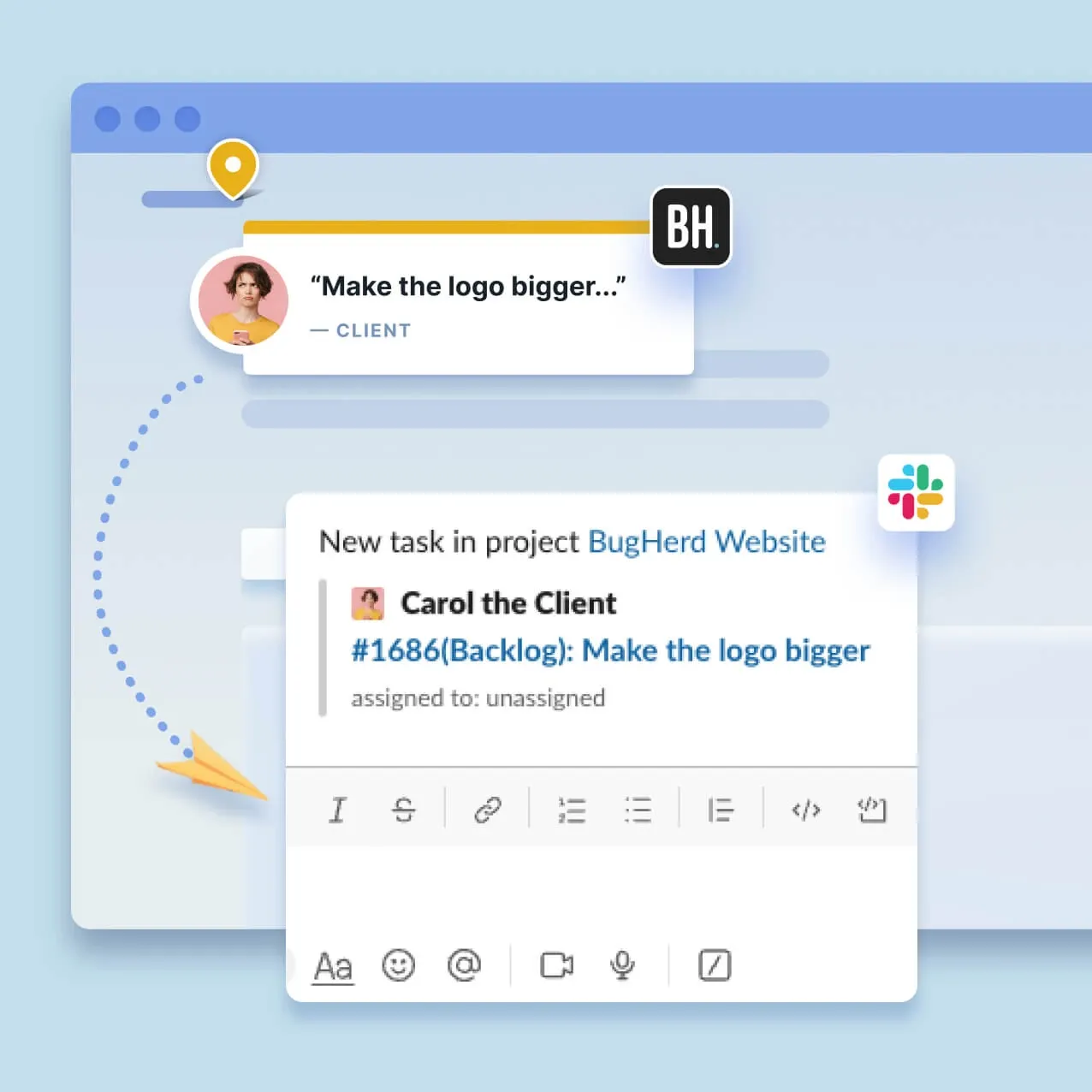
Pin-to-element comments
A client clicks the element they mean and types. The comment is attached to that element, not to a paragraph of prose attempting to describe its location.
This eliminates the single most common failure in client feedback: “the button on the left looks wrong” when there are four buttons, the client is on a phone where nothing is on the left, and the page has changed twice since they looked at it. Pinning removes the ambiguity at source rather than resolving it through correspondence.
Automatic technical metadata
This is the feature that saves the most time and gets the least attention. Every report automatically carries screenshots and technical metadata - browser, operating system, screen resolution and element details.
Consider the alternative sequence, which most teams will recognise: the client reports a problem, the developer cannot reproduce it, the developer asks which browser they are using, the client replies two days later with “Google”, the developer asks for a version number, and a week has passed on a five-minute fix.
BugHerd collapses that entire loop because the information arrives with the report and the client never has to be asked. For a team handling feedback from non-technical stakeholders at any volume, this alone can justify the subscription.
Not just websites
Feedback works on websites, Figma files, PDFs and images.
For a design-and-build engagement, this means the review process does not fragment across tools. Comments on the Figma mockup and comments on the built page live in the same board, with the same status workflow and the same assignees. The alternative - design feedback in Figma, build feedback somewhere else, and a spreadsheet reconciling them - is how items get lost between phases.
Video feedback and text edits
Video feedback lets a client record what they mean when describing it is harder than showing it. Interaction problems, animation timing and anything involving a sequence of steps are far easier to demonstrate than to write.
Text edit suggestions let clients correct copy directly rather than filing a task that says “typo somewhere in the third paragraph”. For content-heavy sites this converts a category of vague tickets into applied changes.
Studio at $80: The Tier That Adds No Features
Reviews rarely say this plainly, so we will: the Studio plan adds no features over Standard. It adds members, from 5 to 10, and storage, from 10 GB to 25 GB. That is the entire difference.
This is not a criticism of the pricing - a capacity tier is a legitimate product - but it does change how you should read the ladder. If you are on Standard and want a capability rather than more seats, Studio does not provide it. You need Premium at $150, which is a substantial jump from $50 and worth planning for rather than discovering.
Knowing this prevents the common and expensive mistake of upgrading to Studio in the hope that custom branding, private team comments or Jira integration will appear. They will not.
Premium: Where the Client-Facing Features Live
Premium is where BugHerd stops being a feedback widget and becomes an agency product.
Custom branding. The feedback experience carries your identity rather than BugHerd’s. For agencies presenting a white-labelled process to clients, this is often the single deciding feature - the client experiences your process, not a third-party tool you resell.
Private team commenting. Internal discussion that clients cannot see. In practice this is the most requested capability on the list, and its absence on lower tiers has a real cost: without it, every internal remark about scope, effort estimates, or which request to push back on has to happen in Slack, which fragments the conversation away from the item it concerns and defeats the purpose of a single feedback channel.
Client project board and enhanced client collaboration. Clients get a structured view of status rather than a comment thread, which reduces the “what is happening with my feedback?” emails that otherwise arrive weekly.
Premium integrations. Jira, Asana, Linear, ClickUp and Monday.com. Standard already covers Trello, Slack, GitHub and twelve others, so the entry tier is not integration-poor. But if your delivery team lives in Jira or Linear, Premium is not optional, and that should be established before choosing a plan rather than after.
Enhanced AI. Auto-tagging and similar task detection, which reduces the duplicate reports that pile up when several stakeholders review the same page on the same afternoon and all notice the same broken image.
AI Features in 2026
BugHerd’s AI capabilities are worth describing accurately rather than enthusiastically.
Standard includes MCP support and automatic title generation, turning a rambling comment into a usable task title.
Premium adds auto-tagging and similar task detection.
What this is: AI applied to triage and organisation. It classifies, titles and de-duplicates. For a board receiving forty items in an afternoon from six reviewers, that is genuine time saved on work nobody enjoys.
What it is not: AI that finds bugs. Nothing here inspects your application, predicts failures or verifies anything. That is a different product category - see TestDriver.ai - and conflating the two would misrepresent what you are buying. BugHerd organises what humans found; it does not find anything itself.
Storage Limits
Storage runs 10 GB on Standard, 25 GB on Studio, 50 GB on Premium and unlimited on Custom.
Those numbers look generous until you enable video feedback. Video is the single largest consumer of the allowance by a wide margin, and a Standard plan with an enthusiastic client recording walkthroughs will encounter 10 GB considerably faster than the tier ladder suggests.
If video feedback is central to how you work - and for non-technical clients it often becomes the preferred medium - weight storage more heavily than member count when choosing a plan. It is also worth establishing an archival policy early, because deleting old project media after a project closes is easier than doing it under pressure when the allowance is full.
Implementation Notes
Three practical considerations for teams deploying BugHerd on client work.
Installing the widget. BugHerd works through a snippet on the site being reviewed. That is straightforward on a staging environment you control, and worth confirming early on projects where the client’s IT team controls deployment - the approval can take longer than the installation.
Guest onboarding. Because guests are unlimited and free, the constraint is not licensing but explanation. A short walkthrough for client stakeholders on how to pin feedback dramatically improves the quality of what arrives. Clients who are not shown how to use it default to emailing screenshots anyway.
Board hygiene. Unlimited projects means projects accumulate. Establishing a convention for archiving closed engagements keeps the workspace navigable and helps with the storage constraint above.
Who Should Use BugHerd, and Who Should Not
Strong fit: agencies and studios working with non-technical clients; teams where feedback currently arrives by email, Slack screenshot and phone call; design-and-build engagements that need Figma and live-site feedback in one place; anyone who has lost a day to “which button, on which page, in which browser?”; organisations that want to invite many reviewers without a per-seat penalty.
Poor fit: teams needing automated regression, cross-browser or end-to-end testing, which is TestMu AI and TestDriver.ai territory; all-engineer internal teams already comfortable filing precise reproducible tickets; budgets below $42 per month; workflows where the delivery team’s tracker is Jira or Linear but the budget stops at Standard.
Head-to-Head Comparisons
- BugHerd vs Marker.io or Usersnap: the genuine competitive set. All three solve visual client feedback, and the differentiators are the pricing model, integration depth and how each handles guest access. BugHerd’s unlimited-guest policy is its strongest card in that comparison.
- BugHerd vs TestDriver.ai: complementary. TestDriver.ai catches regressions automatically before anyone sees them; BugHerd captures the subjective judgements - “this feels cluttered”, “the tone is wrong” - that no automated agent can make.
- BugHerd vs TestMu AI: different halves of quality. TestMu AI verifies that the software works; BugHerd captures whether the client agrees it is right. A team shipping client work usually needs both, at different stages.
Plan pricing, member and storage allowances, guest policy and per-tier features in this review were verified against BugHerd’s official pricing page on 16 August 2026. Break-even calculations comparing extra members with tier upgrades are our own arithmetic. Confirm current terms at bugherd.com before purchasing.
Evaluation Metrics
Accuracy in parsing call graphs, types, and catching subtle edge cases without noise.
Average execution time under 45s across PR triggers on GitHub Actions & GitLab CI.
Detection rate of OWASP Top 10 flaws, SQL injection risks, and leaked API secrets.
Time saved per senior reviewer and ease of interactive inline PR code chat.
Pros & Cons
What We Like (Pros)
- Unlimited guests and client users on every plan, so clients never add to the bill
- Unlimited projects on every tier, including the entry plan
- Browser, OS and resolution metadata is captured automatically with each report
- Feedback works on websites, Figma files, PDFs and images in one workflow
Considerations (Cons)
- The Studio tier adds only members and storage, with no additional features
- Client-facing essentials like custom branding and private team comments need Premium
- Jira, Asana and Linear integrations are gated to the Premium tier
- Video feedback consumes the 10 GB storage allowance quickly on Standard
BugHerd vs the Closest Alternatives
Alternatives named in this review, not tools that merely share a category.
| Feature Matrix |  BugHerd Reviewed Tool | Marker.io / Usersnap Not reviewed here |
|---|---|---|
| Rating Score | 4.9 / 5.0 | Not rated by us |
| Pricing Model | Standard $42/mo • Studio $67/mo • Premium $125/mo (billed annually) | Marker.io from $39/mo annually - Usersnap from EUR 39/mo |
| Best For | Agencies and studios working with non-technical clients; teams where feedback currently arrives by email, Slack screenshot and phone call. | Teams weighing pricing model, integration depth and guest access |
| Key Differentiator | Pins client feedback onto the live page with browser and OS metadata attached | The genuine competitive set for visual client feedback |
| Action / Review | Try Free |
Frequently Asked Questions
Does BugHerd train AI models on private repository code?
No. BugHerd strictly adheres to zero-data-retention standards. Code diffs and repository context are processed in ephemeral memory for the duration of the review execution and are never stored or used to train public models.
How do I configure custom coding standards and linters?
BugHerd reads a repository configuration file placed in the root directory. You can define rule severity, exclude specific paths, set language guidelines, and prompt instructions matching your team's style guide.
Is BugHerd free for open-source software projects?
Public open-source repositories hosted on GitHub and GitLab receive free automated reviews with no cap on the number of repositories, pull requests, or contributors.
Which languages and frameworks does BugHerd support?
BugHerd covers the mainstream ecosystem - TypeScript/JavaScript, Python, Go, Java, Ruby, PHP, Rust, and C# - along with infrastructure-as-code formats such as Terraform, Dockerfiles, and Kubernetes manifests.
How does BugHerd handle security scanning?
BugHerd scans every incoming commit for hardcoded API keys, database credentials, SQL injection risks, and OWASP Top 10 security vulnerabilities before code is merged into production. High-priority security alerts are flagged directly inline within the pull request.


