

The Bottom Line
Screen Studio is our top-ranked tool in Learning & Content Creation. macOS screen recorder with automatic zoom and motion smoothing built in. We rate it 4.9/5.
Best for
Product demos, onboarding videos and marketing footage on macOS; founders and product marketers with no video editing skills and no appetite for acquiring them.
Considerations
Windows and Linux users, where there is no path at all; anyone who requires a perpetual licence.
Executive Summary & Independent Verdict
Screen Studio solves a specific and widely felt problem: raw screen recordings look amateur, and making them look professional normally requires video editing skills that most people building products do not have and cannot justify acquiring.
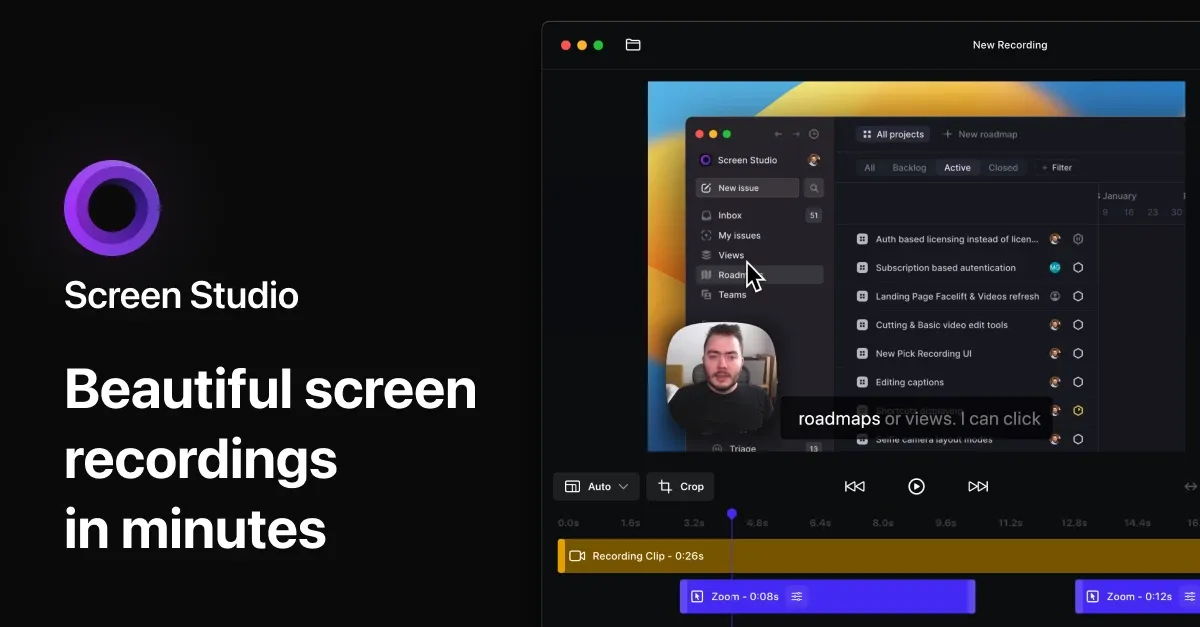
Its answer is to automate the two things that separate a raw capture from an edited demo. It automatically zooms in on actions you perform on your screen, and it takes the “shaky and rapid movement of your cursor” and transforms it into “a smooth and beautiful glide.” You record; the output looks post-produced.
Two constraints belong at the top rather than buried later, because each is a dealbreaker for some readers: it runs on macOS only, and one-time licences are no longer sold.
We place Screen Studio at #1 in Learning & Content Creation. Nothing else in this category produces demo video of this quality with this little effort - and that ranking comes with the caveat that if you are on Windows, it is not an option at all rather than a compromised one.
What Makes the Output Look Different
Automatic zoom
The application zooms in on actions as you perform them, which is what a human editor would do and what nobody has time to do manually across a fifty-cut demo.
When exporting vertically for social media, it automatically adjusts all the zooms to suit the new aspect ratio. That is the single most tedious part of repurposing a landscape demo for a vertical feed - every zoom framed for 16:9 is wrong at 9:16 - and it is handled without intervention.
Manual zoom selection is available when the automatic choice is not what you wanted, which matters because automatic systems are right most of the time and the exceptions are where an override earns its place.
Cursor treatment
Motion smoothing is the effect people notice without being able to name. A real cursor moves in small corrections and overshoots; smoothed motion reads as deliberate, and the difference between the two is most of what makes a demo feel professional.
Beyond it, the application offers resizable cursors after recording, automatic hiding of static cursors, and a loop cursor position function that makes a looping demo end where it began.
That last one is a small feature with an outsized effect on marketing pages, where a looping GIF that jumps back to the start reads as unpolished and undermines the impression the video was made to create.
Composition
Background, spacing, shadow and inset are all adjustable, with horizontal and vertical output and animations adjusted automatically between them. Motion blur, webcam overlays, keyboard shortcut recording and iOS device frame detection round out the visual toolkit.
Keyboard shortcut recording deserves a note: displaying which keys were pressed is essential for any tutorial involving them, and is otherwise a manual annotation job.
Presets are shareable, which is useful for a team that wants every demo to look consistent without each person configuring the application independently. For a company producing demos from several people, that is the difference between a coherent library and a collection of individual styles.
Audio
Recording covers system audio, microphone input and selective application-specific capture. That last option matters more than it sounds - capturing audio from one application rather than the whole system avoids notification sounds and background music appearing in the recording.
Processing is automatic: voice volume is normalised, and background noise is removed without configuration. For anyone recording in an ordinary room rather than a treated studio, that removes the most common reason a demo sounds unprofessional.
Transcription, and a genuine privacy claim
Screen Studio generates a transcript and adds it as subtitles. The notable part is where it happens: “All of this happens on your machine, and no data is sent to our servers.”
In a category where almost every transcription feature routes audio through a cloud service, on-device processing is a meaningful differentiator rather than a marketing line. If your demo covers unreleased product, internal tooling, customer data on screen, or anything under a non-disclosure agreement, the audio never leaves your Mac - which means there is no vendor policy to read and no processing agreement to negotiate.
This is the same architectural stance Superwhisper takes in the adjacent dictation category, and it is worth more than it appears to teams whose legal function has opinions about cloud processing.
Export
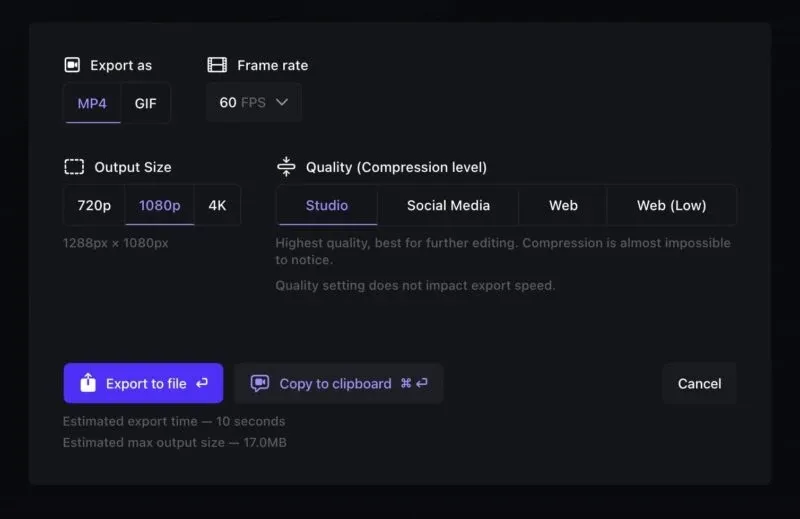
Up to 4K 60fps, or highly optimised GIFs, with presets for web, social media and further editing. Output can be copied straight to the clipboard for pasting into a social post.
The GIF optimisation is worth mentioning specifically. GIFs are the default format for embedding demos in documentation and pull requests, and an unoptimised one is enormous - having that handled rather than requiring a separate compression step removes a real friction point.
The Pricing Question Everyone Gets Wrong
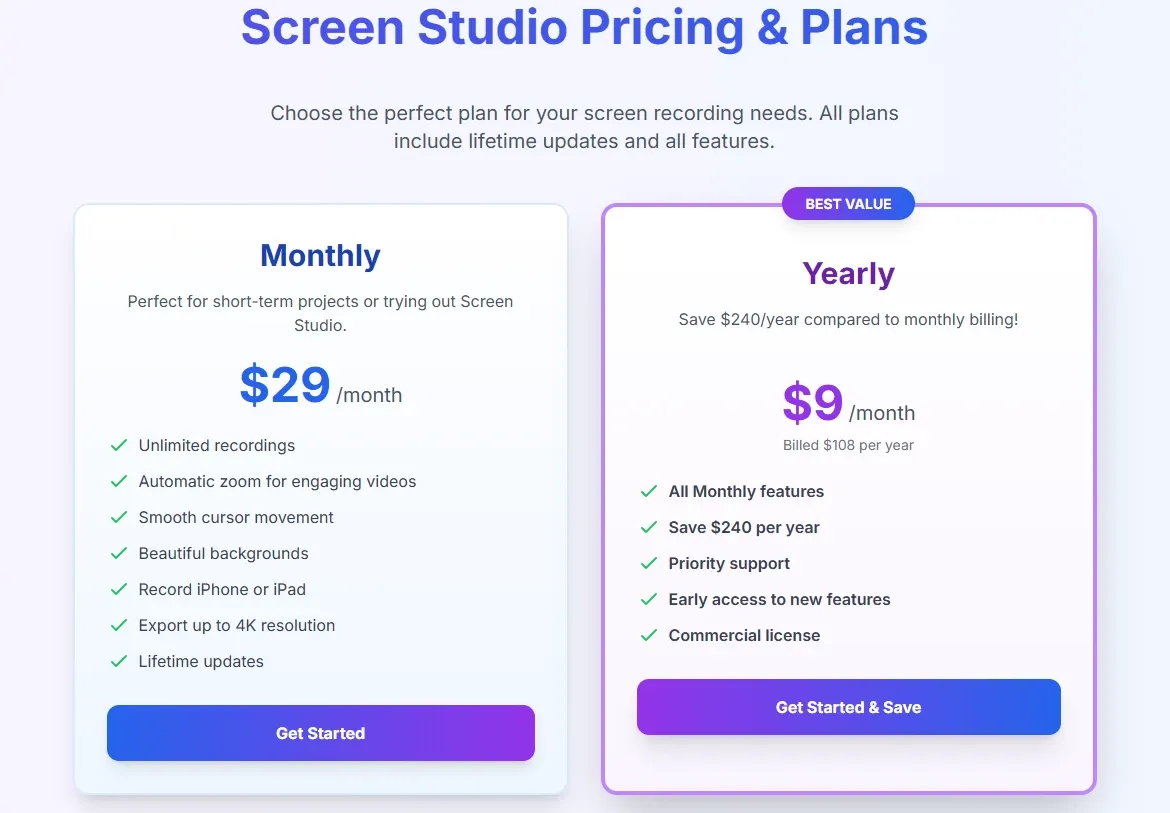
Search for Screen Studio’s price and you will find contradictory figures, including at least one widely indexed page quoting a rate several times the real one. Here is what the official site shows:
| Plan | Price | Official wording |
|---|---|---|
| Monthly | $29 per month | “Per month billed monthly. Switch to yearly anytime.” |
| Yearly | $9 per month | “Per month billed yearly.” which is $108 per year (our arithmetic) |
Both plans include “All Screen Studio features” and “Shareable links”. There is no feature gating between tiers - you are choosing a billing period, not a capability level, which is unusual and simplifies the decision considerably.
The gap between monthly and annual is unusual
$29 against $9 is a difference of more than three times. Across the tools we track, a monthly premium of 20 to 25 per cent over the annual rate is typical. Here it is over 200 per cent.
The practical guidance follows directly. Our arithmetic puts the break-even at under four months: $29 times 4 is $116, already more than the $108 annual price. If you will use this for a third of a year or more, annual is obviously correct.
Monthly is priced as a genuinely short-term option - appropriate for a single launch video or a one-off project, and expensive as a default. Anyone paying $29 monthly for a year is paying $348 for a $108 product, which is a mistake worth avoiding.
One-time licences are gone
Screen Studio’s own FAQ includes the question “What happens if I purchased a one-time license in the past?” - which confirms that perpetual licences existed and are no longer sold to new buyers. Existing holders retain what they bought.
If you have read about a lifetime option, that information is out of date for anyone purchasing now. We could not verify the historical price or the exact date it was withdrawn, and have deliberately not reproduced third-party figures on either point.
macOS Only: The Constraint Nobody Should Bury
Screen Studio is macOS only. The site offers “Download for macOS” and nothing else. There is a separate Screen Studio Beta channel for early builds.
This is stated here rather than in a footnote because it is not a limitation you can work around. There is no web version, no Windows client and no Linux build.
For a mixed-platform team the consequence is organisational rather than technical: only part of the team can produce demos in the house style. In practice that means either standardising on Mac for whoever makes videos - which is a hardware purchase decision driven by a $108 software choice - or choosing a different tool.
For a cross-platform alternative in this category, Tella runs natively on both macOS and Windows as well as in the browser, and the comparison section below covers what you trade for that.
Single-Developer Product: Risk and Reward
Screen Studio’s footer reads ”© 2026 Adam Pietrasiak. All rights reserved.” This is a product built and maintained by one person, and evaluating it fairly means naming both sides of that.
The upside is visible in the product. The feature set is tightly focused and unusually well-finished. There is no bloat, no half-implemented enterprise module, no feature added to satisfy a segment nobody in the company talks to.
Details like loop cursor position, automatic zoom re-adjustment on vertical export and application-specific audio capture are the kind of thing that survives when one person with strong opinions and direct knowledge of the use case decides what ships. Committee-designed software rarely produces them.
The risk is concentration. Support depends on one person’s availability. Roadmap continuity depends on one person’s continued interest. There is no team to absorb an absence, and no institutional continuity if circumstances change.
We are not suggesting this is a reason to avoid it. Plenty of excellent software is built this way, and this is among the better examples in any category. But if you are making a procurement decision for an organisation rather than a personal purchase, it belongs in the risk assessment alongside the feature list - and the mitigation is straightforward, since exported videos are ordinary files with no dependency on the application continuing to exist.
Who Should Use Screen Studio, and Who Should Not
Strong fit: product demos, onboarding videos and marketing footage on macOS; founders and product marketers with no video editing skills and no appetite for acquiring them; teams needing consistent visual style across many demos, via shared presets; anyone recording sensitive content who benefits from on-device transcription; users repurposing landscape demos into vertical social formats.
Poor fit: Windows and Linux users, where there is no path at all; anyone who requires a perpetual licence; users who need only occasional recordings and would end up paying $29 per month for them; teams needing a shared video library with viewer analytics and access control, which is Tella’s territory rather than this product’s.
Head-to-Head Comparisons
- Screen Studio vs Tella: the central decision in this category. Screen Studio is a native macOS application that produces the best-looking output with the least effort. Tella runs on macOS, Windows and the browser, and adds publishing, viewer analytics and a shared team library. Craft against distribution - and if you are on Windows, the decision is already made. Full breakdown in Screen Studio vs Tella.
- Screen Studio vs Loom: Loom optimises for the speed of sharing an everyday message; Screen Studio optimises for how the finished video looks. Different jobs, and many teams use both without conflict.
- Screen Studio vs Superwhisper: unrelated but complementary, and philosophically aligned. Superwhisper handles voice-to-text; Screen Studio handles screen-to-video. Both process on-device rather than in the cloud.
Feature descriptions and pricing in this review were verified against Screen Studio’s official site on 14 August 2026, with prices read directly from the live pricing section. The annual total, the monthly-versus-annual multiple and the break-even calculation are our own arithmetic. Historical one-time licence pricing and student discount terms circulate widely in third-party articles but could not be verified on the official site and are deliberately not reproduced. Most published Screen Studio comparisons are written by competing products. Confirm current terms at screen.studio.
Evaluation Metrics
Accuracy in parsing call graphs, types, and catching subtle edge cases without noise.
Average execution time under 45s across PR triggers on GitHub Actions & GitLab CI.
Detection rate of OWASP Top 10 flaws, SQL injection risks, and leaked API secrets.
Time saved per senior reviewer and ease of interactive inline PR code chat.
Pros & Cons
What We Like (Pros)
- Automatic cursor-following zoom produces edited-looking demos with no editing work
- Transcription runs entirely on your machine with no data sent to servers
- Annual billing works out to $9/month, competitive for the output quality
- Every plan includes all features plus shareable links, with no feature gating
Considerations (Cons)
- macOS only, with no Windows or Linux client
- One-time licences are no longer sold to new buyers
- Monthly billing at $29 costs over three times the annual rate
- Built and maintained by a single developer, which concentrates support risk
Screen Studio vs the Closest Alternatives
Alternatives named in this review, not tools that merely share a category.
| Feature Matrix |  Screen Studio Reviewed Tool |  Tella | Loom Not reviewed here |
|---|---|---|---|
| Rating Score | 4.9 / 5.0 | 4.9 / 5.0 | Not rated by us |
| Pricing Model | $9/mo billed yearly ($108/yr) • $29/mo billed monthly | Pro $13/mo • Premium $19/mo • Enterprise custom (50% off annually) | Free - Business $18/user/mo - Business + AI $24/user/mo |
| Best For | Product demos, onboarding videos and marketing footage on macOS; founders and product marketers with no video editing skills and no appetite for acquiring them. | Mixed-platform teams, since Windows is fully supported with a native application rather than a browser fallback; anyone publishing video under their own brand and domain. | Internal async messaging where finish quality does not matter |
| Key Differentiator | Automatic cursor-following zoom and motion smoothing, with no editing step | Cross-platform recording with custom domain, branding and viewer analytics | Optimised for speed of capture and sharing an everyday message |
| Action / Review | Try Free | Read Review |
Full breakdown: Screen Studio vs Tella.
Frequently Asked Questions
Does Screen Studio train AI models on private repository code?
No. Screen Studio strictly adheres to zero-data-retention standards. Code diffs and repository context are processed in ephemeral memory for the duration of the review execution and are never stored or used to train public models.
How do I configure custom coding standards and linters?
Screen Studio reads a repository configuration file placed in the root directory. You can define rule severity, exclude specific paths, set language guidelines, and prompt instructions matching your team's style guide.
Is Screen Studio free for open-source software projects?
Public open-source repositories hosted on GitHub and GitLab receive free automated reviews with no cap on the number of repositories, pull requests, or contributors.
Which languages and frameworks does Screen Studio support?
Screen Studio covers the mainstream ecosystem - TypeScript/JavaScript, Python, Go, Java, Ruby, PHP, Rust, and C# - along with infrastructure-as-code formats such as Terraform, Dockerfiles, and Kubernetes manifests.
How does Screen Studio handle security scanning?
Screen Studio scans every incoming commit for hardcoded API keys, database credentials, SQL injection risks, and OWASP Top 10 security vulnerabilities before code is merged into production. High-priority security alerts are flagged directly inline within the pull request.


