

The Bottom Line
Fillout is our top-ranked tool in Business & Productivity. Form builder with unlimited seats and business logic included free. We rate it 4.9/5.
Best for
Teams where several people build forms, since seats are free at every tier; internal processes needing conditional logic and calculations without a subscription.
Considerations
Anyone needing a custom domain or form analytics from day one, since that is $75 per month and changes the value calculation considerably; teams whose primary requirement is best-in-class visual polish, where a design-led competitor may still win on the respondent experience.
Executive Summary & Independent Verdict
Most form builders monetise the same way. They give you an attractive form for free, then charge the moment you need it to actually do something. Conditional logic, calculations, payment collection, file handling - the features that turn a survey into a business process - sit behind the paywall, and the free tier exists to demonstrate what you are missing.
Fillout inverts that model. Its free tier includes conditional logic, workflows, calculations, payment collection, PDF generation, file uploads, multi-page forms and answer piping. What you pay for instead is presentation and scale: removing branding, using your own domain, analytics, and lifting the response cap.
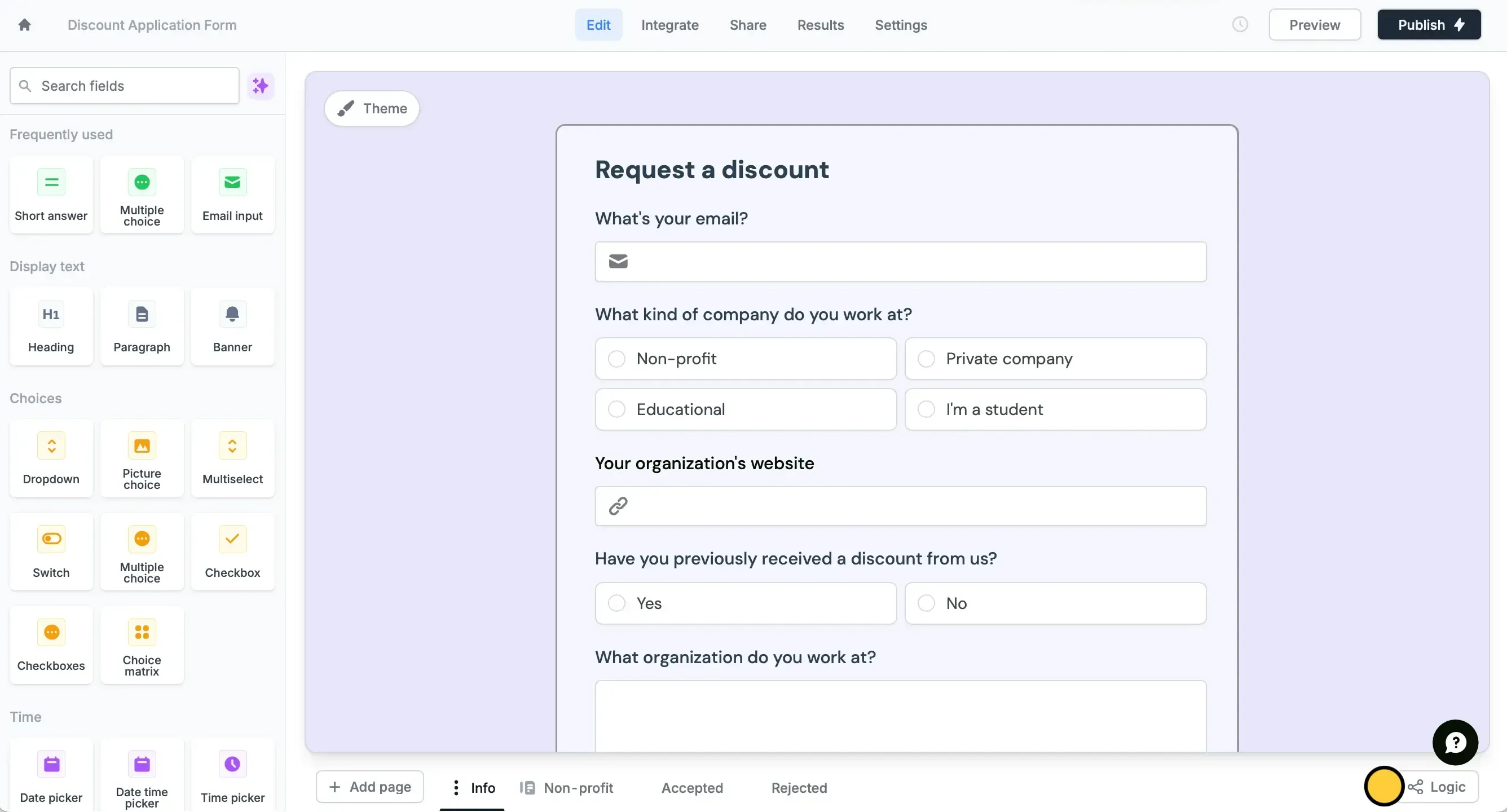
There is a second decision that matters more than it first appears: every plan, including Free, has unlimited seats. In a category where most tools bill per editor, that single line changes the economics for any team larger than one person, and it changes behaviour too - when adding a collaborator is free, forms get built collaboratively rather than by whoever holds the licence.
We place Fillout at #1 in Business & Productivity. It does not win on having the most features or the most polished visual design. It wins on the ratio between what you get and what you pay, which for most teams is the question that actually decides the purchase.
What the Free Plan Actually Includes
This is the centre of the argument, so it is worth listing in full rather than summarising. The free tier includes:
- Unlimited forms
- Multi-page forms
- Form embedding
- Payment collection
- Answer piping
- PDF generation
- Conditional logic
- File uploads
- Workflows
- Calculations
- Pre-fill fields
Five of those - conditional logic, workflows, calculations, payment collection and PDF generation - are commonly the features competitors use to define their paid tiers. Here they cost nothing.
What this means in practice
Abstract feature lists are easy to skim past, so here is what those capabilities compose into. On the free plan you can build:
- A multi-step application form that shows different questions based on earlier answers, calculates a quote from those answers, takes payment, and emails the applicant a generated PDF receipt. That is a complete commercial transaction, built without a subscription.
- An event registration flow with file uploads for supporting documents and conditional routing by ticket type.
- An internal request form that pipes previous answers into later steps and triggers a workflow on submission, replacing a shared inbox and a spreadsheet.
- A quote calculator where the arithmetic happens inside the form rather than in a follow-up email from a salesperson.
None of that requires payment. The limit you will hit is 1,000 responses per month, not a feature wall - which is a fundamentally different kind of constraint, because it scales with your success rather than with your ambition.
Unlimited seats, everywhere
Every tier has unlimited seats, Free included.
For a five-person marketing team, a tool charging even $10 per editor costs $50 per month before a single feature is considered. Here the seat count is simply not a billing dimension at all.
For agencies and internal teams where several people build and maintain forms, this is frequently a larger saving than the plan price itself. It also removes a category of low-grade friction: nobody has to request access, nobody shares a login, and the person who needs to fix a typo on a live form can just fix it.
Where the Paywall Actually Sits
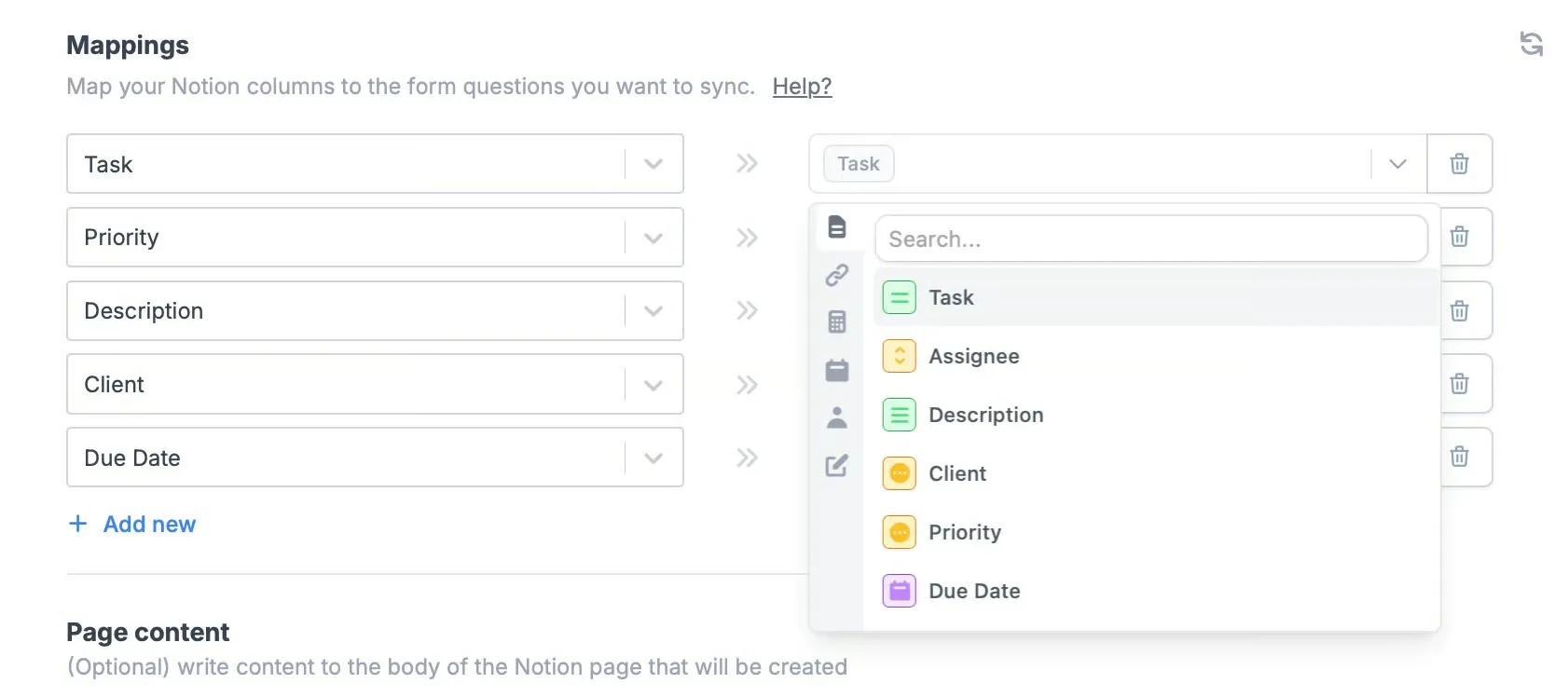
Understanding which upgrade unlocks what saves money, because the boundaries are not where most people assume.
Starter at $15 per month
Adds presentation and flow control: custom endings, login forms, redirect on completion, CAPTCHA, premium field types, custom themes, adding your logo, Calendly scheduling and signature collection.
Signature collection is the item that moves this tier from cosmetic to functional. Contracts, consent forms, waivers and onboarding paperwork all need it, and its presence here rather than higher up is a genuine argument for the tier.
CAPTCHA is the other practical one. Any public form that stays up long enough will attract spam submissions, and the point at which that becomes intolerable is usually the point at which people upgrade.
Pro at $40 per month
The tier that matters for anything client-facing, because this is where you remove Fillout branding. It also adds custom emails, custom share links, custom fonts, favicon and custom CSS.
If you are sending forms to customers under your own brand, $40 is the real entry price, not $15. That distinction is worth internalising before budgeting, because the $15 tier reads as the obvious first upgrade and is not the one most businesses actually need.
Business at $75 per month
Where the operational features live, and several of them surprise people:
- Custom domain
- Form analytics
- Partial submissions
- Custom code
- Pre-fetch data
- Priority support
- File size of 1 GB and above
- Unlimited responses
Partial submissions deserves particular attention. It records answers from people who started and abandoned the form - the data you need to work out where people give up.
That is arguably the single most valuable analytical feature a form tool can offer. A form with a 20 per cent completion rate is a business problem, and without partial submission data you know only that it is happening, not which question causes it. Gating it to the top tier is a defensible commercial decision and a genuine limitation for anyone optimising conversion on a budget.
Similarly, form analytics and custom domain are commonly assumed to be mid-tier features. They are not, and discovering that after subscribing to Pro is a common and avoidable frustration.
Pricing Analysis
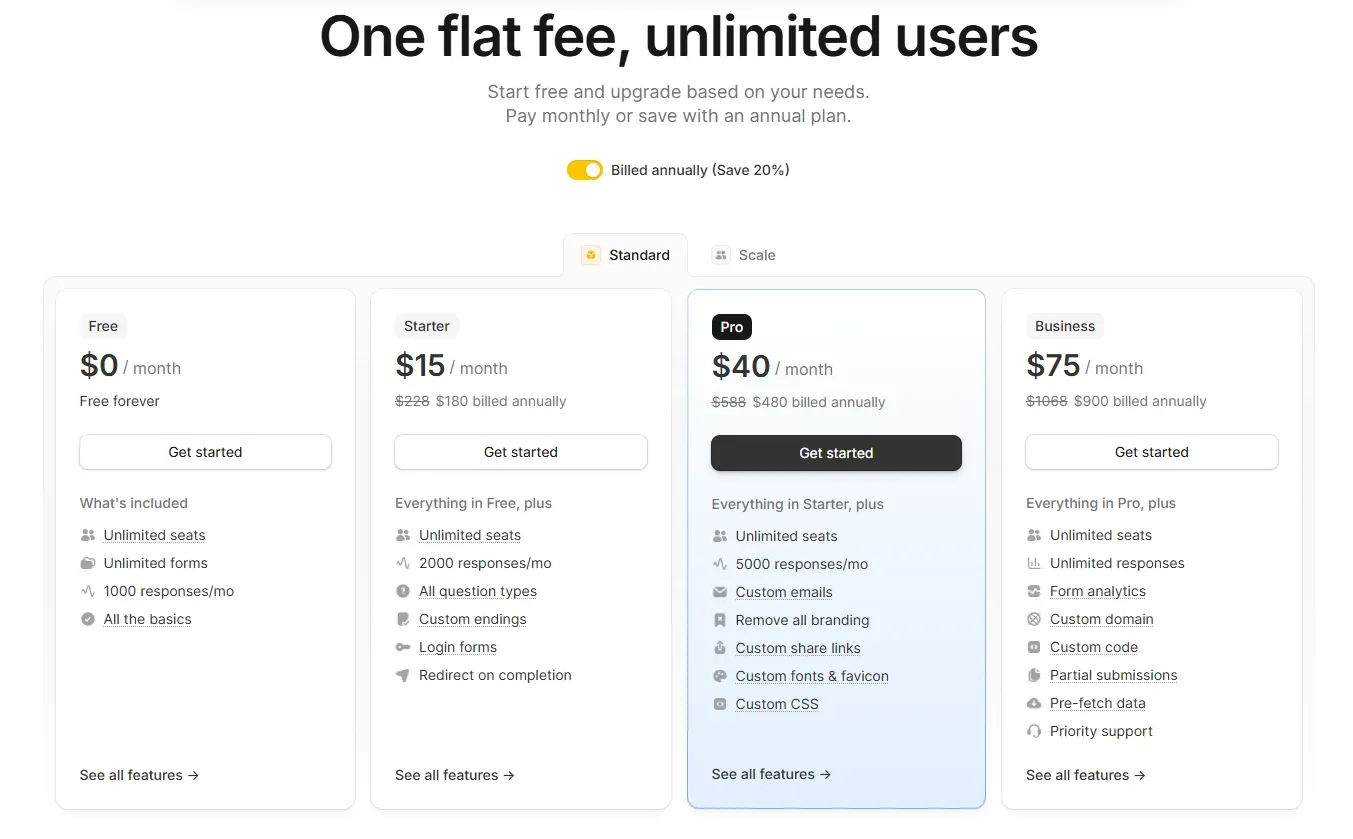
| Plan | Monthly | Annual | Responses per month | Seats |
|---|---|---|---|---|
| Free | $0, free forever | Not applicable | 1,000 | Unlimited |
| Starter | $15 | $180/year | 2,000 | Unlimited |
| Pro | $40 | $480/year | 5,000 | Unlimited |
| Business | $75 | $900/year | Unlimited | Unlimited |
Annual billing appears to offer no discount
Check the arithmetic. $15 times 12 is $180. $40 times 12 is $480. $75 times 12 is $900. The annual prices are exactly twelve times the monthly ones.
This is unusual and worth flagging, because most software pricing rewards annual commitment with two free months or a 20 per cent reduction. Here, paying annually appears to buy nothing except a longer commitment.
Unless the pricing page has changed or a discount is applied at checkout, there is no financial reason to pay yearly - which is a genuinely uncommon situation, and one that favours staying on monthly billing purely for the flexibility to stop.
Note: we flag this as an observation from the published figures rather than a confirmed policy. If Fillout applies a discount at checkout that is not reflected on the pricing page, the calculation changes.
Cost per response
Our own arithmetic, dividing monthly price by included responses:
| Plan | Monthly | Responses | Cost per 1,000 responses |
|---|---|---|---|
| Starter | $15 | 2,000 | $7.50 |
| Pro | $40 | 5,000 | $8.00 |
| Business | $75 | Unlimited | Falls toward zero with volume |
Note that Pro costs more per response than Starter. You are not buying volume when you upgrade to Pro - you are buying the removal of branding and the custom presentation layer.
That is worth knowing so that you upgrade for the right reason. A team upgrading to Pro because it is running out of responses has made an error; the response allowance improves by 2.5 times while the price rises by 2.7 times.
Where each tier makes sense
Summarising the decision:
| Situation | Right tier |
|---|---|
| Internal forms, any team size, under 1,000 responses | Free |
| Need signatures, CAPTCHA or scheduling | Starter $15 |
| Customer-facing forms under your own brand | Pro $40 |
| Need custom domain, analytics or abandonment data | Business $75 |
| High volume with unpredictable spikes | Business $75 |
Feature Depth
Beyond the pricing argument, the capabilities themselves deserve description.
Conditional logic and multi-page forms together allow genuine branching processes. A form can behave differently for a new customer and an existing one, ask compliance questions only where a jurisdiction requires them, or skip an entire section that does not apply.
Calculations turn a form into a quoting tool. Rather than collecting inputs and computing the answer elsewhere, the form produces a number the respondent sees immediately, which for sales-oriented forms materially affects completion.
Payment collection closes the loop. Collecting the money at the point of intent rather than in a follow-up invoice is one of the more reliable ways to improve conversion on paid registrations and deposits.
PDF generation produces a document from submitted answers - receipts, confirmations, signed agreements, summaries for the respondent’s records.
Answer piping and pre-fill reduce the amount respondents have to type, which is the most direct lever on completion rate for any long form.
Workflows connect submission to what happens next, so the form is the start of a process rather than a data-collection endpoint someone checks weekly.
Who Should Use Fillout, and Who Should Not
Strong fit: teams where several people build forms, since seats are free at every tier; internal processes needing conditional logic and calculations without a subscription; anyone collecting payments or generating PDFs from form data; organisations on a constrained budget that still need real business logic; agencies building forms for clients who want their own branding, where Pro is the target tier.
Poor fit: anyone needing a custom domain or form analytics from day one, since that is $75 per month and changes the value calculation considerably; teams whose primary requirement is best-in-class visual polish, where a design-led competitor may still win on the respondent experience; workflows that depend on abandonment analysis, since partial submissions are top-tier only.
Head-to-Head Comparisons
- Fillout vs Typeform: Typeform leads on brand recognition and the conversational form experience, and for marketing forms where the respondent experience is the product, that polish has real value. Fillout leads decisively on logic-per-dollar and seat economics. If your forms are business processes rather than marketing assets, Fillout gives more capability for less.
- Fillout vs Tally: the closest philosophical competitor, since both are unusually generous on the free tier. A meaningful comparison requires evaluating both against a specific form, and the deciding factors are usually integration depth and how each handles payment collection.
- Fillout plus Cal.com: complementary rather than competing. Fillout collects and routes the request; Cal.com books the meeting that follows. Fillout’s own Calendly integration from the Starter tier shows the same pattern with a different scheduler.
- Fillout vs Zernio: unrelated categories, but both illustrate the same pricing philosophy - give away the capability, charge for scale and branding. See Zernio for the API equivalent.
Plan pricing, response limits, seat policy and per-tier features in this review were verified against Fillout’s official pricing page on 14 August 2026. Cost-per-response figures and the annual-billing observation are our own arithmetic from those published prices. Confirm current terms at fillout.com before purchasing.
Evaluation Metrics
Accuracy in parsing call graphs, types, and catching subtle edge cases without noise.
Average execution time under 45s across PR triggers on GitHub Actions & GitLab CI.
Detection rate of OWASP Top 10 flaws, SQL injection risks, and leaked API secrets.
Time saved per senior reviewer and ease of interactive inline PR code chat.
Pros & Cons
What We Like (Pros)
- Unlimited seats on every plan including the free tier
- Conditional logic, workflows, calculations and payment collection are all free
- PDF generation and file uploads included at no cost
- The Business plan removes the response cap entirely
Considerations (Cons)
- Removing Fillout branding requires the $40 Pro plan
- Custom domain and form analytics only arrive on the $75 Business plan
- Partial submission tracking is gated to the highest tier
- Annual billing appears to offer no discount over monthly
Fillout vs the Closest Alternatives
Alternatives named in this review, not tools that merely share a category.
| Feature Matrix |  Fillout Reviewed Tool | Typeform Not reviewed here | Tally Not reviewed here |
|---|---|---|---|
| Rating Score | 4.9 / 5.0 | Not rated by us | Not rated by us |
| Pricing Model | Free (1,000 responses/mo) • Starter $15/mo • Pro $40/mo • Business $75/mo | Basic $25/mo - Plus $50/mo - Business $83/mo (billed yearly) | Free (unlimited forms) - Pro $24/mo - Business $74/mo |
| Best For | Teams where several people build forms, since seats are free at every tier; internal processes needing conditional logic and calculations without a subscription. | Marketing forms where the respondent experience is the product | Teams testing both against one specific form before choosing |
| Key Differentiator | Conditional logic, calculations and payments with unlimited seats on every tier | Brand recognition and the conversational form experience | The closest philosophical competitor; also unusually generous free |
| Action / Review | Try Free |
Frequently Asked Questions
Does Fillout train AI models on private repository code?
No. Fillout strictly adheres to zero-data-retention standards. Code diffs and repository context are processed in ephemeral memory for the duration of the review execution and are never stored or used to train public models.
How do I configure custom coding standards and linters?
Fillout reads a repository configuration file placed in the root directory. You can define rule severity, exclude specific paths, set language guidelines, and prompt instructions matching your team's style guide.
Is Fillout free for open-source software projects?
Public open-source repositories hosted on GitHub and GitLab receive free automated reviews with no cap on the number of repositories, pull requests, or contributors.
Which languages and frameworks does Fillout support?
Fillout covers the mainstream ecosystem - TypeScript/JavaScript, Python, Go, Java, Ruby, PHP, Rust, and C# - along with infrastructure-as-code formats such as Terraform, Dockerfiles, and Kubernetes manifests.
How does Fillout handle security scanning?
Fillout scans every incoming commit for hardcoded API keys, database credentials, SQL injection risks, and OWASP Top 10 security vulnerabilities before code is merged into production. High-priority security alerts are flagged directly inline within the pull request.


