

The Bottom Line
Vercel is our top-ranked tool in Hosting & Cloud. Deploy Next.js and AI workloads with CPU-accurate billing and per-PR previews. We rate it 4.9/5.
Best for
Next.js applications, where first-party support is a genuine advantage; AI backends, agents and LLM streaming endpoints where idle time dominates.
Considerations
Bandwidth-dominated static sites; CPU-bound workloads that see no benefit from Active CPU pricing.
Executive Summary & Independent Verdict
The standard framing of Vercel - “the place you deploy Next.js, and it costs more than the alternatives” - was accurate for years and is now incomplete. It describes the hosting product while missing the change that actually matters in 2026: Active CPU pricing for Fluid compute.
Under that model Vercel charges for CPU only while it is actively doing work. Time spent waiting on I/O is free. For a function that calls a language model and waits four seconds for the response, this is not a rounding difference. It is the difference between paying for four seconds of wall-clock time and paying for the few hundred milliseconds of CPU that actually ran.
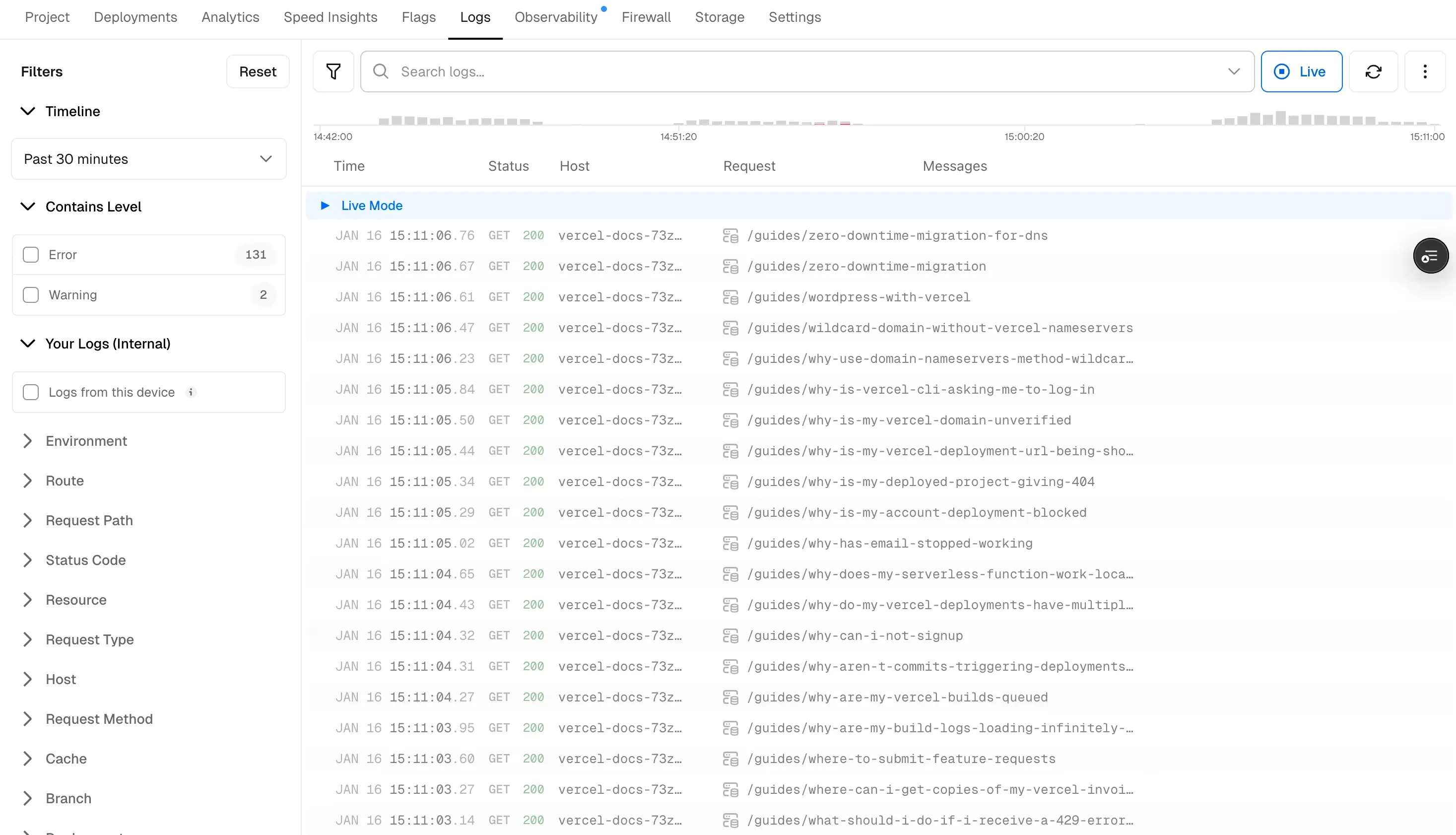
That repositions Vercel from “frontend host” to “the platform whose billing model is best aligned with AI workloads”. It also leaves its oldest weakness untouched: bandwidth-heavy static sites remain expensive here, and no amount of compute efficiency compensates for a workload that barely uses compute.
We place Vercel at #1 in Hosting & Cloud. It earns that on two counts. The developer experience around preview deployments is still the benchmark the rest of the category is measured against, and it is now the only platform in this group whose compute billing reflects what your code is actually doing rather than how long it happened to be alive.
Active CPU Pricing: The Change That Matters
This is the section every other Vercel review skips, and it is the one that determines your bill.
The problem with wall-clock billing
Traditional serverless pricing charges for the entire duration a function is alive. A function that spends ninety per cent of its life waiting on an external API - a database query, a payment provider, a model completion - pays for that idle time at the same rate as time spent computing.
For conventional CRUD endpoints this barely matters, because the wait is measured in tens of milliseconds. For AI workloads it dominates the bill entirely. A retrieval-augmented generation endpoint might spend fifty milliseconds assembling a prompt, four seconds waiting for a completion, and another twenty milliseconds formatting the response. Under wall-clock billing you pay for 4.07 seconds of compute to perform 0.07 seconds of work.
What Fluid compute changes
Vercel Functions on Fluid compute bill on Active CPU. The company’s own description is that it charges for CPU only while it is actively doing work, eliminating cost during idle time, with I/O wait being free.
Vercel states this cuts bills by up to 90% for I/O-heavy workloads. That is a vendor-published figure, and we reproduce it with that label attached rather than as an independent measurement.
The published rates are:
| Component | Rate |
|---|---|
| Active CPU | $0.128 per hour |
| Provisioned Memory | $0.0106 per GB-hour |
| Vercel’s own example: Standard machine at 100% active CPU | approximately $0.149 per hour (1 Active CPU hour plus 2 GB of provisioned memory) |
Working the numbers
The example above is the ceiling - a function pinned at full CPU utilisation. The interesting cases sit well below it. The following scenarios are our own arithmetic built from Vercel’s published rates, not figures Vercel supplies.
Consider a function running for one hour of wall-clock time on a 2 GB machine, and compare three CPU-utilisation profiles:
| Workload type | CPU active | Active CPU cost | Provisioned memory | Total per hour |
|---|---|---|---|---|
| CPU-bound (image processing, computation) | 100% | $0.128 | $0.0212 | around $0.149 |
| Typical CRUD API | around 25% | $0.032 | $0.0212 | around $0.053 |
| LLM streaming or agent waiting on I/O | around 10% | $0.0128 | $0.0212 | around $0.034 |
The pattern is the point. As the proportion of idle time rises, the bill falls toward the memory floor. Under a wall-clock model all three rows would cost the same, and the third row - the one representing the fastest-growing category of workload in 2026 - would be subsidising the first.
Modelling it for an actual application
To make this concrete, consider a modest AI feature: an endpoint handling 50,000 requests per month, each taking four seconds of wall-clock time with roughly ten per cent CPU utilisation, on a 2 GB machine.
Our own arithmetic: 50,000 requests at four seconds each is approximately 55.6 wall-clock hours. At ten per cent utilisation that is 5.56 Active CPU hours, costing around $0.71, plus 55.6 hours of 2 GB provisioned memory at $0.0106 per GB-hour, costing around $1.18. Total: roughly $1.89 per month.
Billed on wall-clock time at the full Active CPU rate, the same workload would cost around $7.12 plus memory. The saving is real and it scales linearly with request volume - which is exactly why this pricing model is a strategic move rather than a promotional one.
Who this does not help
Stating the limit honestly matters more than the headline. A workload that keeps the CPU busy the entire time saves nothing.
Image processing, video transcoding, cryptographic operations, large data transformations - these run at or near full active CPU, and Active CPU pricing simply charges them the normal rate. If your functions are compute-bound rather than I/O-bound, this model is neutral, not advantageous, and you should evaluate Vercel on its other merits.
The practical test is simple: if you profiled a typical request, what fraction of its duration is your code executing rather than waiting? If that fraction is high, this section does not apply to you.
Plans and Allowances
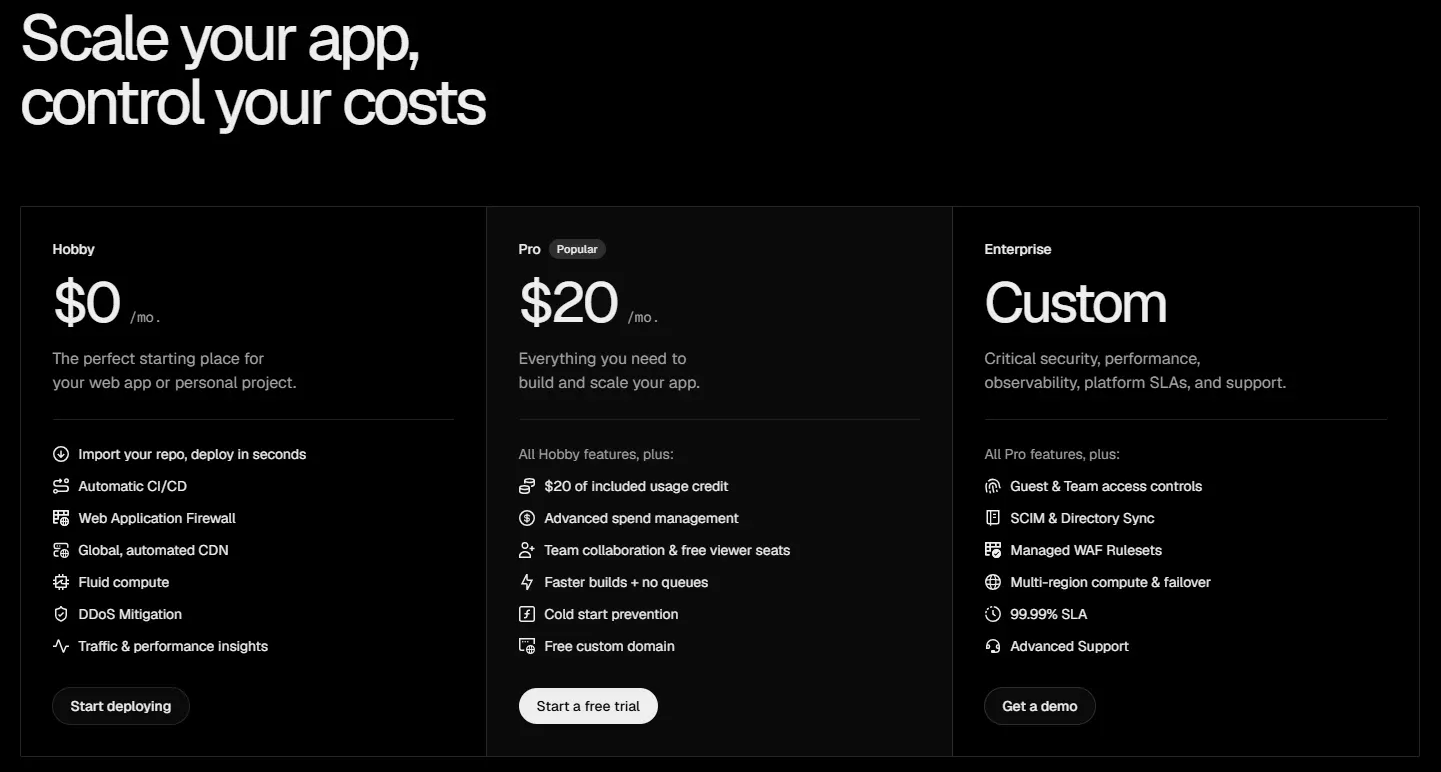
| Plan | Price | Seats | Characteristics |
|---|---|---|---|
| Hobby | $0/month | 1 developer seat | Hard usage caps, cannot purchase additional usage |
| Pro | $20/month | 1 developer seat plus unlimited viewer seats | Includes $20 usage credit per month, pay-as-you-go beyond it |
| Enterprise | Custom | Custom | Security, observability, platform SLAs and dedicated support |
Resource allowances by plan:
| Resource | Hobby | Pro |
|---|---|---|
| Edge Requests | 1M/month | 10M/month |
| Fast Data Transfer | 100 GB/month | 1 TB/month |
| Vercel Functions (Active CPU) | 4 hours/month | Usage-based |
| Function Invocations | 1M/month | Usage-based |
| ISR Reads | 1M/month | Usage-based |
| Image Transformations | 5K/month | Usage-based |
| Speed Insights Events | 10K/month | Usage-based |
| Web Analytics Events | 50K/month | Usage-based |
The Hobby plan warning
This is the detail most likely to cause a bad day, and it deserves a heading rather than a footnote.
Hobby accounts face hard usage limits and cannot purchase additional usage. Pro and Enterprise support pay-as-you-go overages. Hobby does not.
The practical consequence: if a personal project on Hobby attracts unexpected attention and exhausts its edge-request or transfer allowance, it stops serving. You cannot resolve it by agreeing to pay more, because there is no mechanism to pay more. You have to upgrade the account, and you have to be awake and aware to do it.
For a side project that might reasonably get posted somewhere popular, that is a genuine availability risk. Our guidance is straightforward: anything you would be embarrassed to see go down belongs on Pro, and $20 is cheap insurance against being unreachable during the one hour your project had attention.
The seat model
Pro includes one developer seat plus unlimited viewer seats at no cost.
For an organisation where a handful of engineers deploy and a much larger group of designers, product managers, writers and stakeholders need to look at preview builds, this is a meaningful saving. The viewers - who often outnumber the deployers by five to one - are free.
It is also the exact axis on which Netlify now competes hardest, having removed per-seat pricing entirely in April 2026. If your organisation is heavy on contributors who genuinely deploy rather than merely view, Netlify’s model is more favourable, and the comparison section below covers when each wins.
Developer Experience
Preview deployments
Every pull request produces its own deployment at its own URL. This sounds mundane and is the single feature most responsible for Vercel’s position in this category.
What it changes structurally is the review process. Without previews, design review, stakeholder sign-off and QA are sequential activities that happen after merge, in a shared staging environment that only one branch can occupy at a time. With previews they happen in parallel, before merge, on isolated URLs - and “can you describe what changed?” becomes a link.
Teams that adopt this rarely give it up, which is also the honest explanation for a portion of Vercel’s lock-in: the workflow is genuinely good, and leaving means rebuilding it.
v0 integration
v0, Vercel’s agentic app builder, publishes directly into a Vercel project. The first publish creates the project and its production URL; subsequent publishes go live with zero downtime.
If you are already on Vercel, the path from prompt to production is unusually short - and if you are evaluating v0, the fact that its output lands in a Vercel project without configuration is part of what you are buying.
Observability
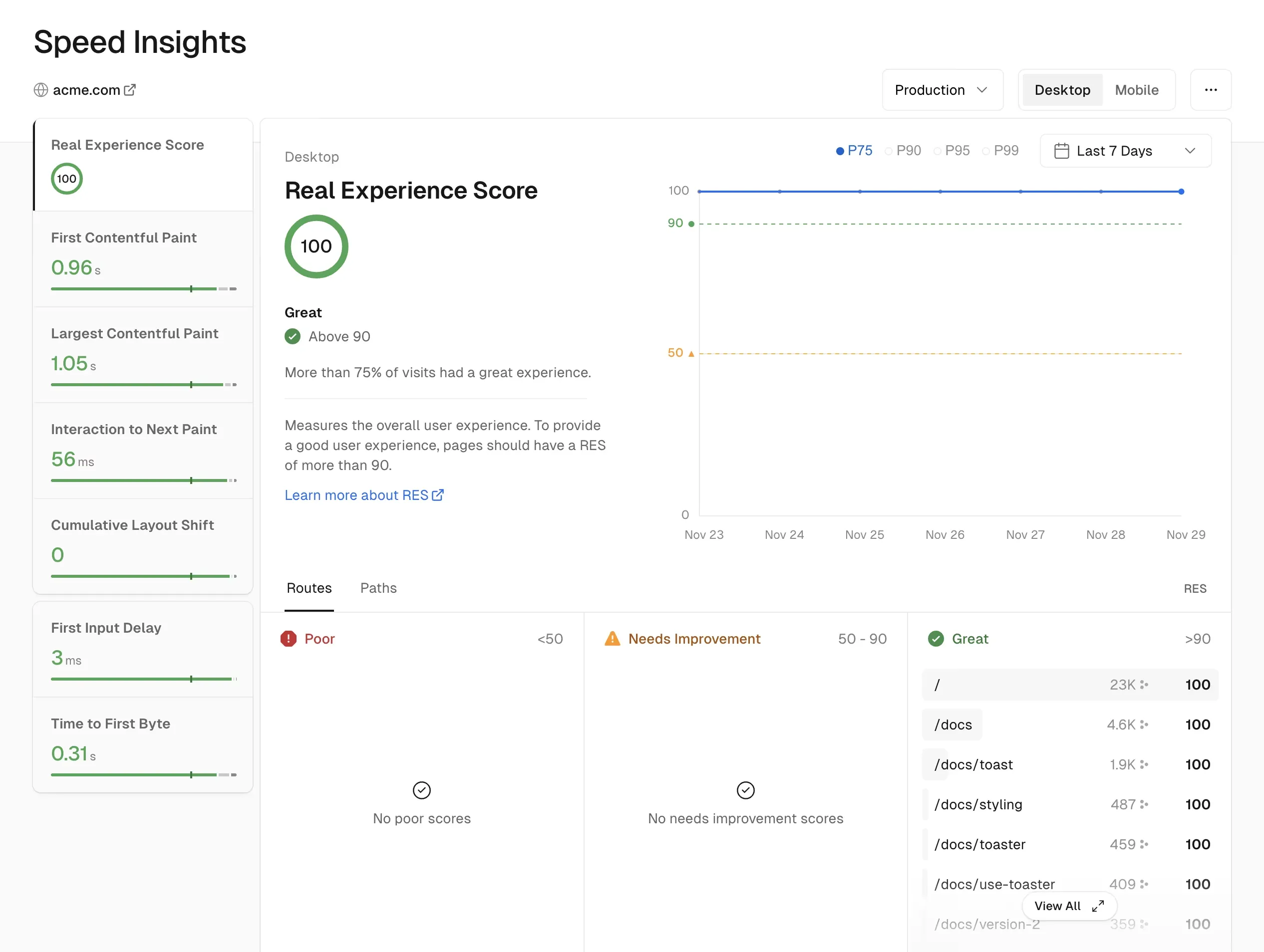
Speed Insights and Web Analytics are first-party rather than bolt-on, with allowances included in each plan - 10,000 and 50,000 events respectively on Hobby.
For teams that would otherwise wire up a third-party analytics provider on day one, that removes a decision and a script tag. It is not a replacement for a full product-analytics platform, but for the specific questions of “is the site fast?” and “which pages get traffic?”, having the answers without additional integration is a real convenience.
Where Vercel Costs More Than It Should
An honest review has to name the cases where this platform is the wrong financial choice.
Bandwidth-heavy static sites. Fast Data Transfer is where Vercel’s pricing is least competitive. If you serve large media files, high-resolution imagery or substantial volumes of static assets, the compute savings from Active CPU pricing will not offset the transfer cost - because a workload dominated by transfer barely uses compute in the first place. The efficiency gain applies to a meter you are not spending much on.
Migration cost. Vercel’s deep integration with Next.js is its central strength and its central lock-in risk. Framework features that work seamlessly here require deliberate engineering elsewhere: incremental static regeneration, image optimisation, middleware behaviour and edge configuration all have platform-specific characteristics. That is a fair trade while you are happy on the platform, and a real cost the day you are not.
Comparisons using stale numbers. Much of the published Vercel-versus-Netlify analysis quotes seat-based figures that stopped being accurate when Netlify dropped per-seat pricing in April 2026. Any cost comparison you read that predates that change needs re-running before you rely on it.
Who Should Use Vercel, and Who Should Not
Strong fit: Next.js applications, where first-party support is a genuine advantage; AI backends, agents and LLM streaming endpoints where idle time dominates; teams that want preview-per-pull-request as a default workflow; organisations with many viewers and few deployers; anyone already using v0; projects where developer experience is weighted heavily in the decision.
Poor fit: bandwidth-dominated static sites; CPU-bound workloads that see no benefit from Active CPU pricing; teams running runtimes outside Vercel’s supported set; organisations that treat platform independence as a hard requirement; personal projects that must stay up but cannot justify $20 per month, given the Hobby plan’s hard caps.
Head-to-Head Comparisons
- Vercel vs Netlify: the same $20 headline price and opposite strengths. Netlify gives unlimited team members; Vercel gives CPU-accurate compute billing. Choose on the shape of your team and workload, not the headline number. Full breakdown in Vercel vs Netlify.
- Vercel vs Railway: complementary rather than competing. Vercel serves frontends and short-lived serverless functions; Railway runs long-lived services, background workers and databases metered by the second. Many teams run both.
- Vercel vs Supabase: not alternatives at all. Supabase is the data layer - Postgres, authentication, storage - that a Vercel-hosted application typically talks to. Evaluating them against each other is a category error.
- Vercel plus v0: v0 is Vercel’s own agentic builder and publishes straight into a Vercel project, making them the tightest pairing in this list.
Pricing, allowances and the Active CPU rates in this review were verified against Vercel’s official pricing page, Fluid compute documentation and the Active CPU pricing announcement on 15 August 2026. The “up to 90%” saving is a figure published by Vercel and is labelled as such. All cost scenarios and the modelled AI endpoint are our own arithmetic built from Vercel’s published rates. Confirm current terms at vercel.com before committing.
Evaluation Metrics
Accuracy in parsing call graphs, types, and catching subtle edge cases without noise.
Average execution time under 45s across PR triggers on GitHub Actions & GitLab CI.
Detection rate of OWASP Top 10 flaws, SQL injection risks, and leaked API secrets.
Time saved per senior reviewer and ease of interactive inline PR code chat.
Pros & Cons
What We Like (Pros)
- Active CPU pricing bills only for CPU that does work, with I/O wait time free
- Preview deployment for every pull request, with unlimited free viewer seats on Pro
- First-party Next.js support and one-click publishing from v0
- Fluid compute suits long-running AI agents and LLM streaming workloads
Considerations (Cons)
- Hobby plan enforces hard usage caps and cannot purchase additional usage
- Bandwidth-heavy static sites are expensive relative to competitors
- Deep platform integration raises the cost of migrating away later
- CPU-bound workloads see little benefit from Active CPU pricing
Vercel vs the Closest Alternatives
Alternatives named in this review, not tools that merely share a category.
| Feature Matrix |  Vercel Reviewed Tool |  Netlify |  Railway |
|---|---|---|---|
| Rating Score | 4.9 / 5.0 | 4.8 / 5.0 | 4.8 / 5.0 |
| Pricing Model | Hobby Free • Pro $20/mo ($20 usage credit) • Enterprise custom | Free (300 credits) • Personal $9/mo • Pro $20/mo unlimited members | Free ($1 credit/mo) • Hobby $5/mo • Pro $20/mo per workspace |
| Best For | Next.js applications, where first-party support is a genuine advantage; AI backends, agents and LLM streaming endpoints where idle time dominates. | Teams with many contributors but moderate traffic, where unlimited seats dominate the cost equation; static and Jamstack sites. | Long-running services, background workers and cron jobs that serverless platforms handle awkwardly; monorepos with several services that need to talk to each other. |
| Key Differentiator | Active CPU billing on a Next.js-native platform with per-PR preview deploys | Jamstack hosting with unlimited members on a flat plan price | Per-second-metered containers for long-running services, workers and cron jobs |
| Action / Review | Try Free | Read Review | Read Review |
Full breakdown: Vercel vs Netlify.
Frequently Asked Questions
Does Vercel train AI models on private repository code?
No. Vercel strictly adheres to zero-data-retention standards. Code diffs and repository context are processed in ephemeral memory for the duration of the review execution and are never stored or used to train public models.
How do I configure custom coding standards and linters?
Vercel reads a repository configuration file placed in the root directory. You can define rule severity, exclude specific paths, set language guidelines, and prompt instructions matching your team's style guide.
Is Vercel free for open-source software projects?
Public open-source repositories hosted on GitHub and GitLab receive free automated reviews with no cap on the number of repositories, pull requests, or contributors.
Which languages and frameworks does Vercel support?
Vercel covers the mainstream ecosystem - TypeScript/JavaScript, Python, Go, Java, Ruby, PHP, Rust, and C# - along with infrastructure-as-code formats such as Terraform, Dockerfiles, and Kubernetes manifests.
How does Vercel handle security scanning?
Vercel scans every incoming commit for hardcoded API keys, database credentials, SQL injection risks, and OWASP Top 10 security vulnerabilities before code is merged into production. High-priority security alerts are flagged directly inline within the pull request.


