

The Bottom Line
Cal.com is ranked #4 in our Business & Productivity category. Open-source scheduling with CRM sync free and compliance from $28/user. We rate it 4.8/5.
Best for
Healthcare, finance and education teams needing compliance without an Enterprise contract; sales teams that need round-robin distribution and routing forms.
Considerations
Non-technical users who want the smoothest possible setup with zero configuration, where the proprietary incumbent remains easier; teams that would self-host without the capacity to maintain it, which is worse than not self-hosting.
Executive Summary & Independent Verdict
Cal.com is habitually described as “the open-source Calendly”, which captures the licensing and misses the two things that actually differentiate it in practice.
The first is that compliance arrives far earlier than the industry norm. SOC 2, HIPAA and ISO 27001 coverage sit on the Organizations tier at $28 per user per month, alongside SAML single sign-on and SCIM. In most of this category, that combination requires an Enterprise contract, a sales call and a minimum seat commitment. For a small clinic, a financial advisory firm or an education provider, that difference is not a feature comparison - it is the entire purchasing decision.
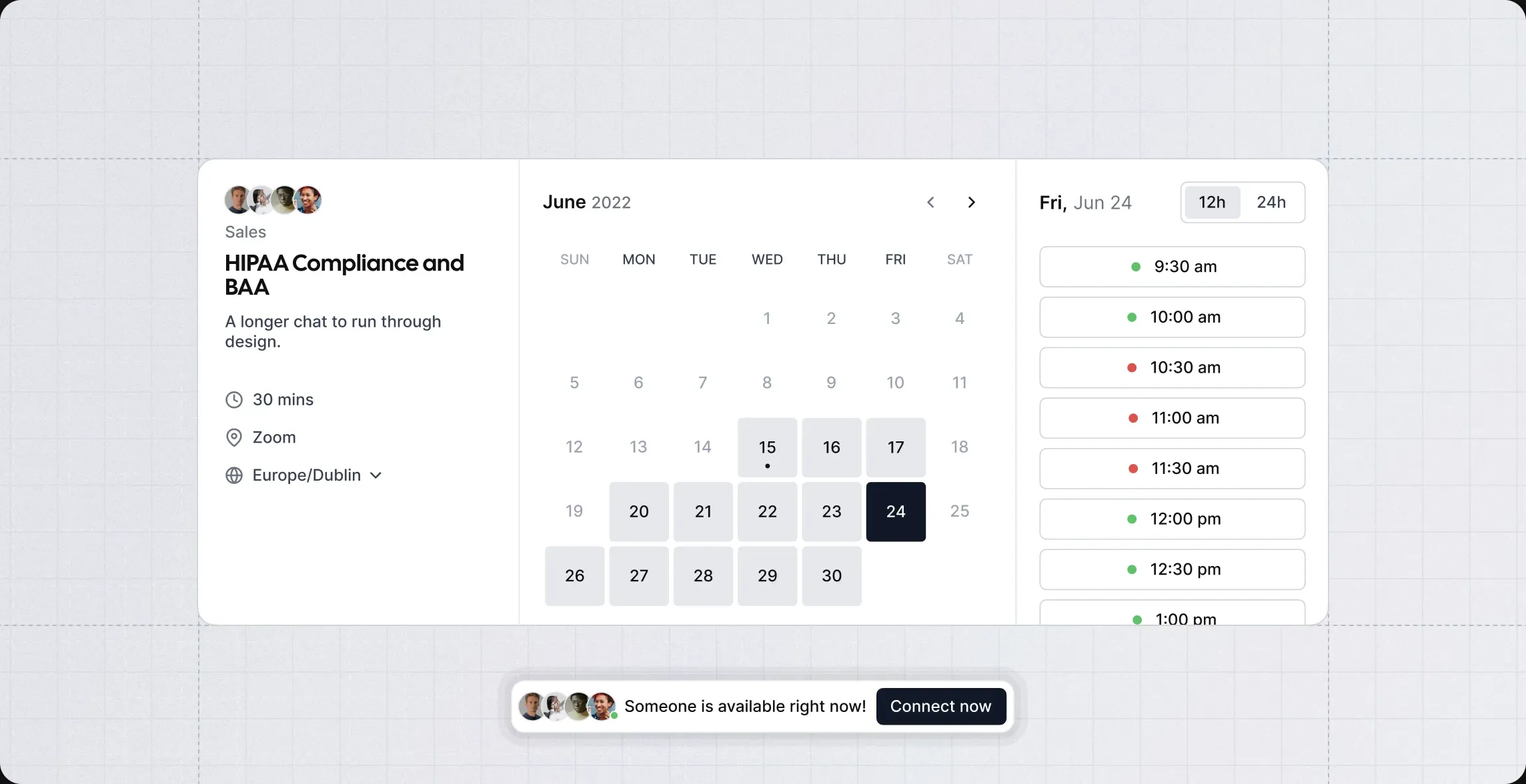
The second is that being open source gives you the option to run it yourself. That is a real lever if data residency is a constraint you cannot negotiate away, and a real cost if you underestimate what operating it involves. Both halves of that trade deserve stating, and the self-hosting section below does so honestly rather than treating the licence as an unqualified benefit.
We place Cal.com at #4 in Business & Productivity. It is the strongest choice in this list for teams with a compliance requirement and a limited budget, and it asks more configuration effort than the proprietary alternative.
The Free Plan Is Unusually Complete
The free tier is capped at one user, and within that limit it is more capable than most paid entry plans elsewhere:
- Unlimited event types and calendars - no restriction on how many meeting types you define
- Email and SMS notifications
- Integration with more than 100 apps
- Mobile app and browser extension
- Accept Stripe and PayPal payments
- Two-way Salesforce and HubSpot sync
Two features that stand out
Two-way CRM sync on the free plan is the genuine outlier. Bidirectional Salesforce and HubSpot synchronisation is normally a paid capability, and frequently a top-tier one.
The practical consequence for an independent consultant is substantial: bookings appear in the CRM automatically, and CRM changes reflect back, without paying anything and without a Zapier subscription sitting in between as a point of failure.
Payment collection at no cost is the second. Taking a deposit or full payment at the point of booking is a feature many schedulers reserve for paid plans. For a freelancer wanting to reduce no-shows by charging upfront - the single most effective intervention available - the free plan is sufficient.
Unlimited event types also deserves a mention. Many competitors cap the number of meeting types on free tiers at one or two, which forces an upgrade as soon as you want to distinguish a fifteen-minute intro call from a ninety-minute workshop.
The real constraint
One user. That is the boundary, and it is a clean one. The moment a second person needs their own booking page and availability, you are on Teams.
Compliance Arrives Earlier Than You Expect
This is the section that should drive the evaluation for regulated industries, and it is where Cal.com’s positioning is most distinctive.
What Organizations includes at $28 per user
- SOC 2, HIPAA and ISO 27001 compliance
- SAML single sign-on and SCIM
- Unlimited sub-teams
- Route by custom variables
- Company subdomain, in the form
yourcompany.cal.com - Instant meetings, domain-wide delegation, role-based permissions, additional APIs
Why the tier placement matters
In most scheduling products, the sequence runs: free tier, team tier, then “contact sales” for anything with a compliance certificate attached. That last step introduces a procurement cycle, a minimum commitment and a price you cannot see in advance - which for a ten-person organisation is often enough friction to abandon the evaluation entirely.
Cal.com publishes the price. A ten-person clinic knows before speaking to anyone that its compliant deployment costs $280 per month.
That transparency has practical value beyond the number itself. It lets a small organisation budget, compare and decide without entering a sales process, and it removes the asymmetry where the vendor knows what you will pay and you do not.
An important distinction to verify
Cal.com lists Organizations as “SOC 2, HIPAA, ISO 27001 compliant”. For healthcare use in particular, the operative question is usually whether the vendor will sign a Business Associate Agreement, which is a separate commitment from being architected to HIPAA standards.
A product built to handle protected health information appropriately and a vendor contractually accepting liability as a business associate are different things, and compliance teams require the second.
Note: we have verified the compliance claim as published on the pricing page. We have not verified Business Associate Agreement availability or which tier it attaches to. If you are handling protected health information, confirm this directly with Cal.com before relying on it. This is not a detail to infer from a marketing page.
What Enterprise adds
Dedicated onboarding and engineering support, service level and uptime guarantees, HRIS and directory integrations, and a dedicated database.
These are operational assurances rather than features. You move here when uptime is contractual and when your identity infrastructure needs to provision users from an HR system automatically - not because you need a capability that Organizations lacks.
Open Source and Self-Hosting
Cal.com’s source is available and the platform can be self-hosted. This is the lever most reviews mention and few examine properly.
What it genuinely gives you
Calendar data is more revealing than it first appears. It records who met whom, when, how often, and for how long - which for a company in a sensitive negotiation, a law firm, or a healthcare provider is genuinely confidential information independent of what was discussed.
Self-hosting keeps that data on infrastructure you control. For jurisdictions with data residency requirements, this can be the difference between a usable tool and a prohibited one, and no amount of vendor assurance substitutes for the data not leaving your estate.
What it genuinely costs you
You become responsible for upgrades, security patching, availability, backups and the database.
Cal.com ships features continuously, and a self-hosted instance that nobody updates drifts steadily further from the hosted version. Eventually it becomes a liability rather than an asset - running an unpatched scheduling service that holds your organisation’s meeting data is a worse position than using the hosted product.
The realistic cost is not the server. It is the fractional engineer who owns it, and organisations consistently underestimate that line.
The honest guidance
Self-host when data residency is a hard requirement and you have platform engineering capacity to assign to it. Otherwise the hosted plans are almost certainly cheaper than the loaded cost of the person maintaining your instance.
That said, the open-source licence is valuable even if you never exercise it. It is insurance against pricing changes, feature removals and vendor failure - you always retain the option to take the software and run, which is not true of any proprietary competitor.
Team and Sales Features
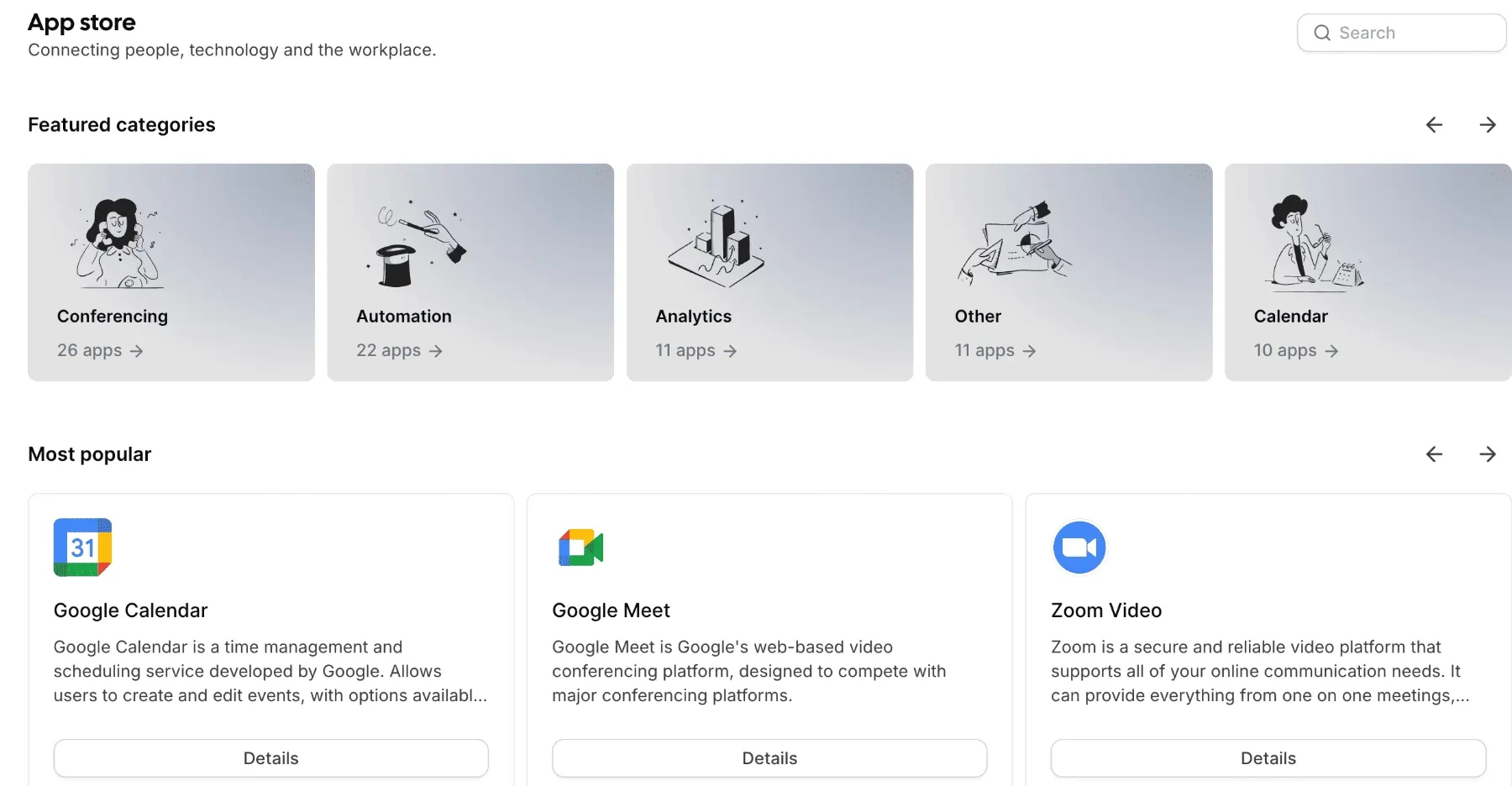
The Teams tier at $12 per user is built for groups that share demand rather than individuals who share a calendar:
- One team with shared availability
- Round-robin scheduling to distribute bookings across a group
- Managed and collective event types for meetings requiring several attendees, or centrally administered event definitions
- Recurring events
- Customisable email and SMS notifications
- Remove Cal.com branding
- Routing forms, booking analytics and custom APIs
Round-robin and collective events
The distinction is worth understanding because they solve opposite problems. Round-robin distributes a booking to one of several people, balancing load across a sales or support team. Collective requires several people to be available simultaneously, which is what you need for panel interviews or multi-stakeholder reviews.
Most schedulers offer one; having both at the entry team tier covers the majority of business scheduling patterns without an upgrade.
Routing forms
Routing forms are the feature worth designing around. A prospect answers a few qualifying questions and is routed to the right person - enterprise leads to the senior account executive, small business to the standard queue, existing customers to their account manager.
That pattern pairs naturally with Fillout: collect and qualify in the form, route and book in Cal.com. For teams currently doing that routing manually - someone reading inbound requests and assigning them - it removes a daily task and a source of delay.
Organizations extends the same mechanism with unlimited sub-teams and routing by custom variables, applying it at company rather than team scale.
Pricing Analysis
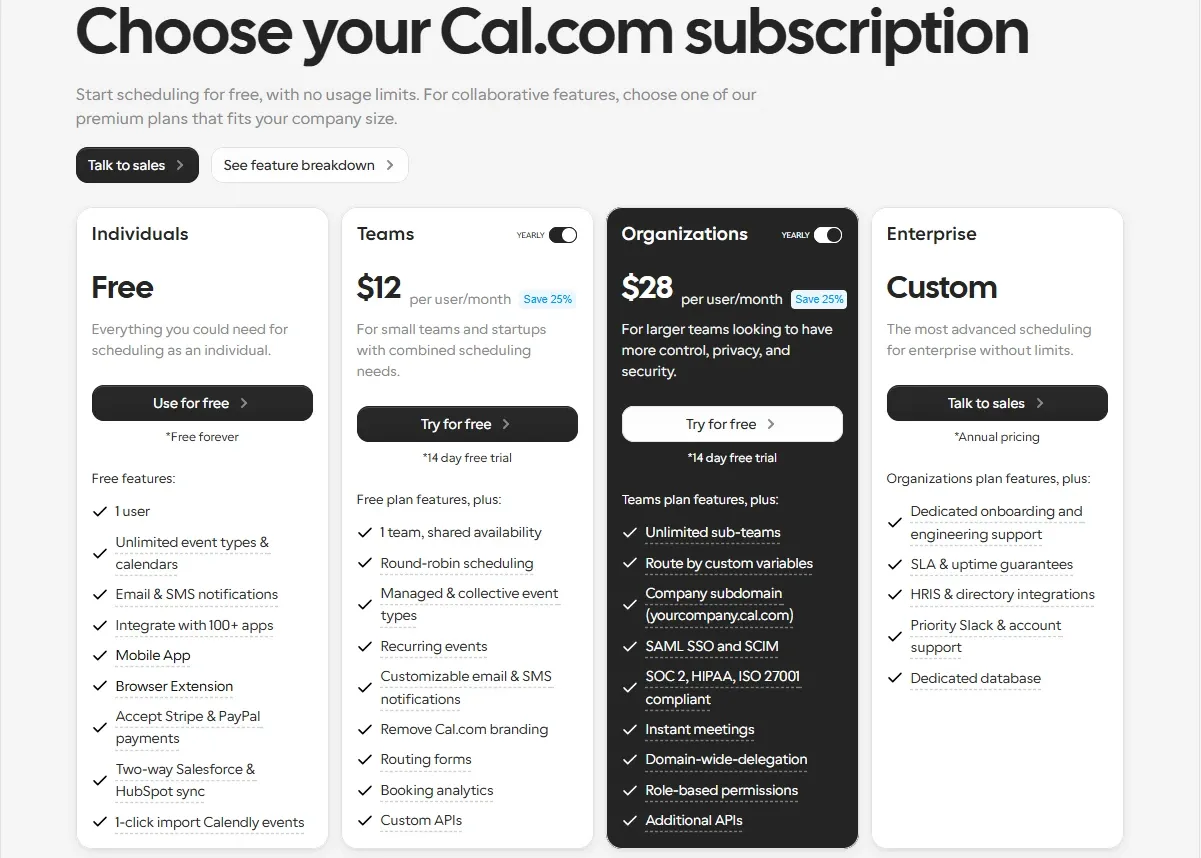
| Plan | Price | Notes |
|---|---|---|
| Free | Free forever | 1 user |
| Teams | $12/user/month | Annual pricing, described as “25% savings” |
| Organizations | $28/user/month | Annual pricing, described as “25% savings” |
| Enterprise | Custom | SLA, dedicated database, HRIS integrations |
Read the billing basis carefully
The listed prices are annual with a 25 per cent saving applied. Monthly billing costs more, and the pricing page does not display the monthly figure alongside it.
Note: we were unable to confirm the exact monthly rates. If you intend to pay monthly, obtain those figures before budgeting rather than assuming $12 and $28.
What the $12 to $28 step buys
The jump from Teams to Organizations is 2.3 times, and it buys three distinct things:
- Compliance - SOC 2, HIPAA, ISO 27001
- Identity infrastructure - SAML single sign-on, SCIM, role-based permissions
- Structure - unlimited sub-teams, company subdomain, routing by custom variables
If none of those apply, Teams is the correct tier and Organizations is overspending on capabilities you will not use. If any one of them is a requirement, it is not a close decision - nothing at the Teams level substitutes for a compliance certificate or a SAML integration.
Cost at team sizes
Our own arithmetic at common team sizes:
| Team size | Teams at $12 | Organizations at $28 |
|---|---|---|
| 5 people | $60/month | $140/month |
| 10 people | $120/month | $280/month |
| 25 people | $300/month | $700/month |
| 50 people | $600/month | $1,400/month |
At fifty people the Organizations premium is $800 per month, which is the point at which an Enterprise negotiation becomes worth having regardless of whether you need its features.
Who Should Use Cal.com, and Who Should Not
Strong fit: healthcare, finance and education teams needing compliance without an Enterprise contract; sales teams that need round-robin distribution and routing forms; organisations with data residency requirements that self-hosting solves; individual consultants, who get CRM sync and payment collection free; anyone who values the ability to leave with the software intact.
Poor fit: non-technical users who want the smoothest possible setup with zero configuration, where the proprietary incumbent remains easier; teams that would self-host without the capacity to maintain it, which is worse than not self-hosting; anyone needing more than one user on a zero budget; organisations whose compliance requirement is specifically a signed Business Associate Agreement, until that is confirmed.
Head-to-Head Comparisons
- Cal.com vs Calendly: the incumbent is smoother out of the box for non-technical users, and that is a real advantage when the people configuring it are not technical. Cal.com wins on open source, self-hosting, and publishing a compliance-inclusive price at $28 per user rather than routing it through a sales team.
- Cal.com plus Fillout: a natural pipeline. Fillout collects and qualifies; Cal.com routes and books. Both have unusually generous free tiers, which makes the combination viable at zero cost for a solo operator.
- Cal.com vs Zernio: unrelated categories, but both are examples of the same 2026 pattern - developer-facing infrastructure sold at a published price rather than through enterprise sales. See Zernio.
Plan tiers, per-user prices, feature allocation and compliance claims in this review were verified against Cal.com’s official pricing page on 17 August 2026. Team cost calculations are our own arithmetic. Monthly non-annual rates and Business Associate Agreement availability were not confirmed and are flagged as such. Confirm current terms at cal.com before purchasing, particularly if you are relying on a compliance requirement.
Evaluation Metrics
Accuracy in parsing call graphs, types, and catching subtle edge cases without noise.
Average execution time under 45s across PR triggers on GitHub Actions & GitLab CI.
Detection rate of OWASP Top 10 flaws, SQL injection risks, and leaked API secrets.
Time saved per senior reviewer and ease of interactive inline PR code chat.
Pros & Cons
What We Like (Pros)
- Two-way Salesforce and HubSpot sync included on the free plan
- Stripe and PayPal payment collection available at no cost
- SOC 2, HIPAA and ISO 27001 compliance from the $28 Organizations tier, not Enterprise
- Fully open source and self-hostable for teams that need data residency
Considerations (Cons)
- The free plan is limited to a single user
- Removing Cal.com branding requires the Teams plan
- Listed prices assume annual billing with 25 percent savings
- Self-hosting shifts upgrade and security maintenance onto your team
Cal.com vs the Closest Alternatives
Alternatives named in this review, not tools that merely share a category.
| Feature Matrix |  Cal.com Reviewed Tool | Calendly Not reviewed here |
|---|---|---|
| Rating Score | 4.8 / 5.0 | Not rated by us |
| Pricing Model | Free (1 user) • Teams $12/user/mo • Organizations $28/user/mo | Free - Standard $10/seat/mo - Teams $16/seat/mo |
| Best For | Healthcare, finance and education teams needing compliance without an Enterprise contract; sales teams that need round-robin distribution and routing forms. | Teams whose configurers are not technical and want zero setup |
| Key Differentiator | Open-source scheduling with SOC 2, HIPAA and ISO 27001 at a published price | The incumbent; smoother out of the box for non-technical users |
| Action / Review | Try Free |
Frequently Asked Questions
Does Cal.com train AI models on private repository code?
No. Cal.com strictly adheres to zero-data-retention standards. Code diffs and repository context are processed in ephemeral memory for the duration of the review execution and are never stored or used to train public models.
How do I configure custom coding standards and linters?
Cal.com reads a repository configuration file placed in the root directory. You can define rule severity, exclude specific paths, set language guidelines, and prompt instructions matching your team's style guide.
Is Cal.com free for open-source software projects?
Public open-source repositories hosted on GitHub and GitLab receive free automated reviews with no cap on the number of repositories, pull requests, or contributors.
Which languages and frameworks does Cal.com support?
Cal.com covers the mainstream ecosystem - TypeScript/JavaScript, Python, Go, Java, Ruby, PHP, Rust, and C# - along with infrastructure-as-code formats such as Terraform, Dockerfiles, and Kubernetes manifests.
How does Cal.com handle security scanning?
Cal.com scans every incoming commit for hardcoded API keys, database credentials, SQL injection risks, and OWASP Top 10 security vulnerabilities before code is merged into production. High-priority security alerts are flagged directly inline within the pull request.


