

The Bottom Line
TestDriver.ai is ranked #3 in our Testing & QA category. Vision agent that tests web, desktop and extensions with no selectors. We rate it 4.8/5.
Best for
Teams shipping native desktop applications or browser extensions, where alternatives are scarce and setup costs are high; anyone testing third-party software without source access.
Considerations
Teams with a stable, well-maintained Playwright or Cypress suite that is not causing pain, since there is no reason to migrate away from something that works; high-volume testing where the ten-hour allowance is exhausted in the first week.
Executive Summary & Independent Verdict
TestDriver.ai makes a specific and deliberately provocative claim: “no selectors, no DOM, no setup.” Its agent looks at the screen the way a person does, clicks what it sees, and writes the test for you.
The product description is equally direct - TestDriver “automatically runs every pull request in a real desktop sandbox, finds bugs, and builds regression tests.”
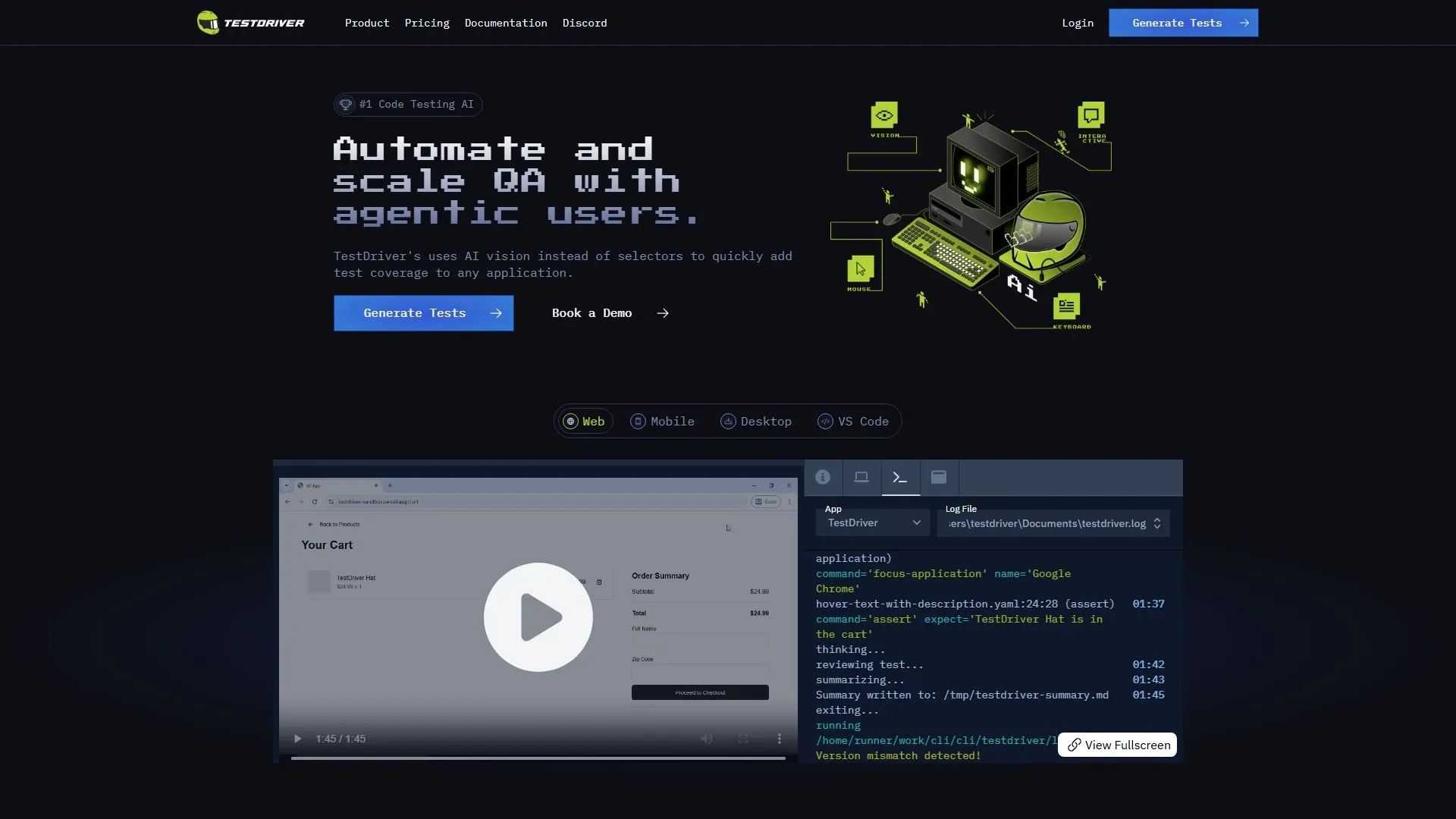
Vision-based testing has a long history of being fragile, so that claim deserves scrutiny rather than acceptance - and this review gives it both the argument in favour and the argument against, because a review that only reports the vendor’s framing is not useful to anyone making a decision.
There is one area, though, where TestDriver has almost no competition regardless of how you feel about vision agents: it tests native Windows and macOS desktop applications, Chrome extensions and VS Code extensions, not only web pages.
We place TestDriver.ai at #3 in Testing & QA. It ranks below TestMu AI and BugHerd on breadth and maturity, and beats both decisively on simplicity - $20 per user per month, with no seven-line pricing matrix to decode.
Vision-Based Testing: The Core Bet
The problem it targets
User interface test suites rot. Not because the tests were badly written, but because they are coupled to implementation details that change for reasons entirely unrelated to behaviour.
A designer renames a CSS class. A component library is upgraded. Someone adds a wrapper element for layout. Thirty tests fail while the application works perfectly, and an engineer spends an afternoon establishing that nothing was actually broken.
The organisational response follows a predictable arc. First, teams rewrite selectors. Then they add data-testid attributes everywhere, which works until someone refactors a component and the attributes travel to the wrong element. Then they stop running the suite in CI because it is too noisy. Then they stop maintaining it. A suite that everybody ignores is worse than no suite, because it consumed the budget that a working one would have needed.
TestDriver’s bet is that the selector is the root cause of that arc.
How the agent works
In the product’s own words: “Describe a flow in plain English and the vision agent clicks, types, and reads the screen to figure it out, then writes the test for you - no selectors, no DOM, no setup.”
You describe intent. The agent explores the interface visually, performs the actions, and emits a test. The authoring step becomes a description of what a user does rather than a specification of which elements to manipulate.
Vision fingerprint caching
The obvious objection to any vision approach is non-determinism. If the model re-interprets the screen on every run, results will drift, and a test suite that produces different answers to the same question is not a test suite.
TestDriver’s answer is caching vision fingerprints of discovered elements, so subsequent runs replay deterministically rather than re-reasoning from scratch. The first run is exploratory and expensive; later runs match against what was already identified.
This is the correct architectural answer to the objection, and it is the single most important thing to evaluate during a trial. The question to answer is not “does it work?” - it will work in a demonstration - but “does run fifty produce the same result as run two, after the application has changed in ways that should not matter?”
The honest case against
A fair review has to state the risks that vision-based testing has historically carried, which caching mitigates rather than eliminates:
- Resolution and viewport changes shift layout, which can invalidate cached visual fingerprints. A suite passing at one window size may behave differently at another.
- Theming. A dark-mode toggle or a rebrand alters appearance substantially without altering behaviour at all.
- Animation and transitions introduce timing sensitivity around when the screen is considered settled - the visual equivalent of the flaky wait conditions that plague selector-based suites.
- Internationalisation. Text length changes across locales, which changes layout, which changes what the agent sees.
- Debuggability. When a selector-based test fails, the error names the selector and the fix is usually obvious. When a vision agent misreads the screen, the failure is harder to reason about, harder to reproduce deliberately, and harder to fix with confidence that it will stay fixed.
None of these are reasons to dismiss the product. They are the specific scenarios to put in front of it during evaluation, precisely because they are where the approach is theoretically weakest.
We have not run an independent benchmark, and we are not claiming these problems occur in practice with this product. We are saying that a serious evaluation tests for them rather than assuming caching has solved them.
Platform Coverage: The Real Differentiator
Set the vision debate aside and this remains: TestDriver covers surfaces that most testing tools simply do not reach.
| Surface | Notes |
|---|---|
| Web applications | Including third-party applications with no source code access |
| Chrome extensions | Both popup and background pages |
| Native Windows and macOS desktop applications | Almost no other tool in this category does this |
| VS Code extensions | |
| Rich media | Canvas, video players, iFrames, OAuth flows |
| Documents | PDFs, and AI chatbots |
Why testing without source access matters
Because the agent works from the screen rather than the DOM, it can test software you did not write and cannot instrument.
That opens genuinely awkward categories: a vendor application your business depends on and needs to verify after each vendor update; a third-party portal embedded in your workflow; a legacy internal tool whose source was lost two acquisitions ago. None of these can be instrumented, and all of them can break in ways that affect your operations.
Why desktop coverage matters
Native desktop testing is an underserved area. If you ship an Electron application, a native macOS utility or a Windows desktop tool, the alternatives are specialist frameworks with steep setup costs and small communities.
TestDriver treats desktop as a first-class target running on real virtual machines, which for teams in that position may be the entire reason to adopt it - the vision debate is secondary when the alternative is no automated testing at all.
Why canvas, video and OAuth matter
These are precisely the surfaces where selector-based tools break down, and it is worth being specific about why.
A <canvas> element has no queryable internal structure - everything inside it is pixels, and a selector-based tool can locate the canvas but nothing within it. Video players expose inconsistent and often shadow-DOM controls. OAuth flows navigate across domains into pages you do not control and cannot add test attributes to.
A vision agent sees all of them the way a user does. This is where the approach is strongest rather than weakest, and if your application depends on any of them, it is the strongest argument for adopting TestDriver regardless of your general view on vision testing.
CI Integration
The engineering decisions here are conservative in the best sense, and they materially reduce the risk of adopting the product.
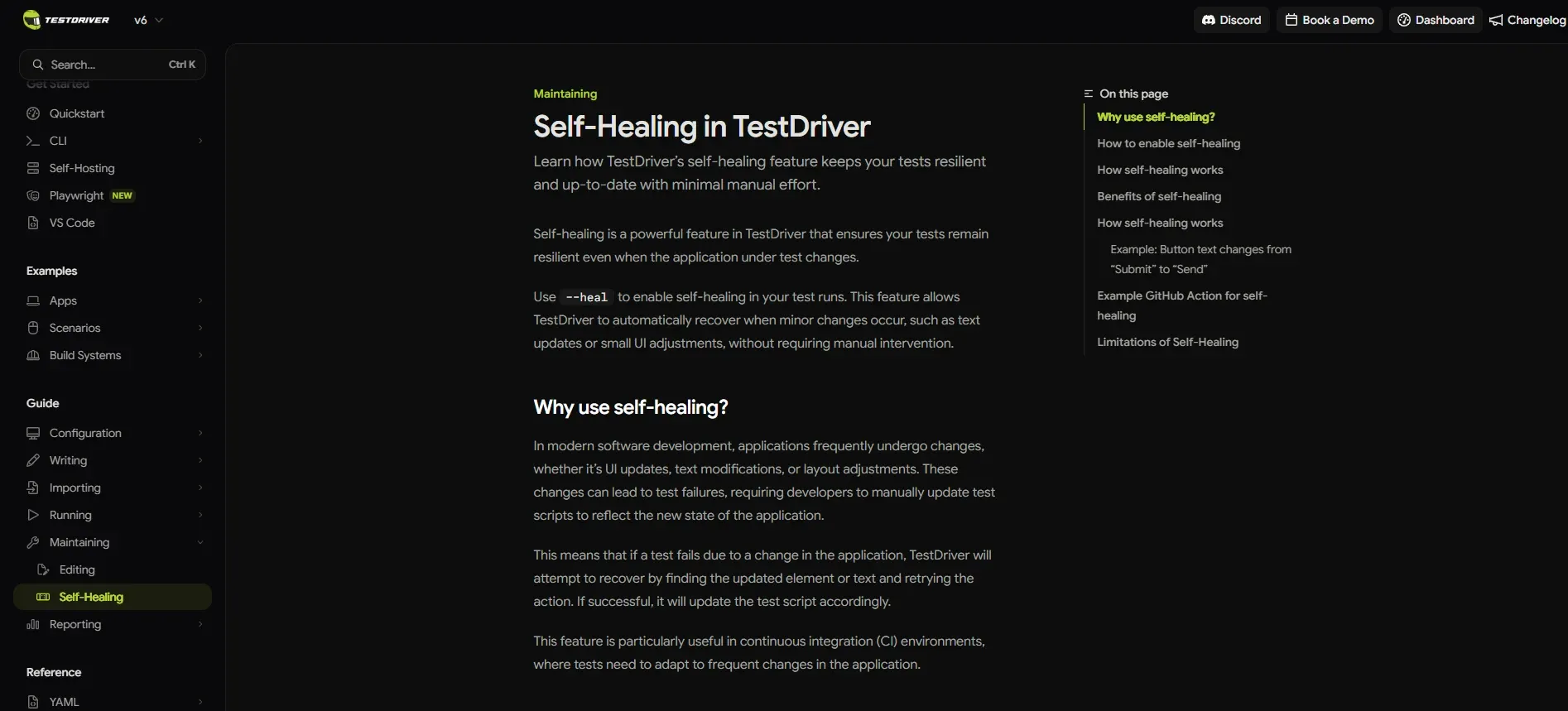
Tests are standard Vitest files. Not a proprietary format, not a YAML dialect, not a recording stored in a vendor dashboard.
That matters for two reasons. Your team already knows how to read them, review them in pull requests and reason about them. And if you leave the platform, you leave with artefacts that have value elsewhere - which is a materially different position from a recorded-test tool whose output is meaningless outside its own runner.
They run “the same on your machine and in CI, across web, desktop, and extensions on real VMs” - the same artefact locally and in the pipeline, on real virtual machines rather than a simulated environment. Local and CI parity removes the “works on my machine” class of test failure entirely.
JUnit XML export plugs results into whatever dashboard you already run, which means adoption does not require replacing your reporting.
Every pull request is executed automatically in a real desktop sandbox. Paired with CodeRabbit, you have both halves of pull-request verification: CodeRabbit reviews the diff, TestDriver runs the application built from it.
Pricing: Simple, With One Catch
| Plan | Price | Includes |
|---|---|---|
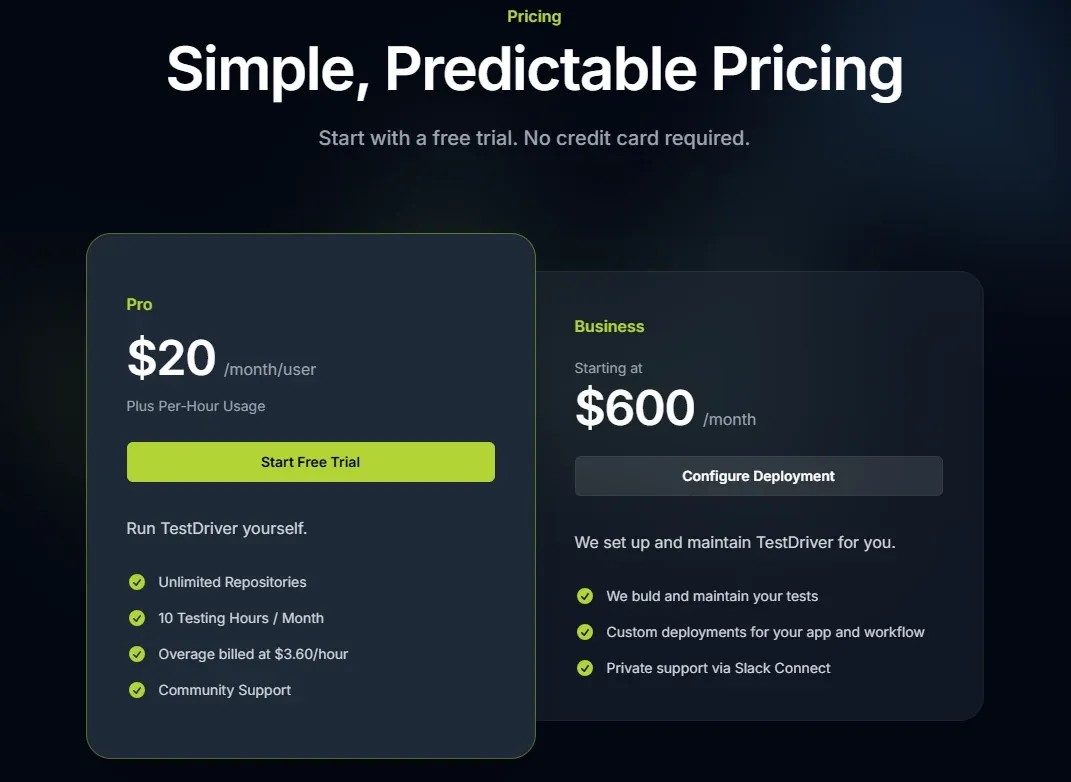
| Pro | $20/user/month plus $3.60/hour overage | 10 test hours per month, unlimited repositories |
| Business | from $600/month | Custom deployment, dedicated support |
The 10-hour allowance is the real constraint
$20 per user is the simplest headline price in this category, and it is not the number that governs your bill. 10 test hours per month is.
Whether that is generous or tight depends entirely on how long your suite takes and how often it runs. A suite running on every pull request in an active repository consumes hours quickly, and the consumption is proportional to team activity rather than team size - which means the per-user price and the actual cost driver are decoupled.
The following is our own arithmetic, using overage at $3.60 per hour:
| Usage | Calculation | Cost per user per month |
|---|---|---|
| 10 hours (within allowance) | $20 | $20 |
| 20 hours | $20 plus 10 x $3.60 | $56 |
| 40 hours | $20 plus 30 x $3.60 | $128 |
| 80 hours | $20 plus 70 x $3.60 | $272 |
How to estimate your consumption before buying
Since the allowance is the binding constraint, estimate it during evaluation rather than after. Our suggested method:
- Time one complete run of the suite you intend to automate.
- Multiply by the number of pull requests your team opens in a typical month.
- Add a margin for re-runs after fixes, which in our experience is not a small number.
A team opening 60 pull requests a month with a 12-minute suite consumes roughly 12 hours before re-runs - already past the allowance in the first month. That is not a criticism of the pricing, but it is the difference between budgeting $20 and budgeting $56.
The corollary is the same one that applies to TestMu AI: suite runtime is a cost centre. Time spent making tests faster pays back directly.
Unlimited repositories is a genuine plus and unusual at this price point. The constraint is time consumed, not projects covered, which means adding a second or fifth repository costs nothing until it costs hours.
The gap to Business
There is nothing between $20 per user and Business starting at $600 per month.
A team outgrowing Pro faces a substantial step, and the rational response is often to keep buying overage hours on Pro well past the point where a middle tier would have made sense. It is worth asking whether Business includes an hours allowance that changes that calculation, because at 80 hours per user the Pro-plus-overage figure above starts to approach Business territory for a small team.
Who Should Use TestDriver.ai, and Who Should Not
Strong fit: teams shipping native desktop applications or browser extensions, where alternatives are scarce and setup costs are high; anyone testing third-party software without source access; applications built around canvas, video, iFrames or OAuth flows; teams whose user interface suite has already rotted from selector churn and who need a different approach rather than another rewrite; small teams that want one predictable per-user price.
Poor fit: teams with a stable, well-maintained Playwright or Cypress suite that is not causing pain, since there is no reason to migrate away from something that works; high-volume testing where the ten-hour allowance is exhausted in the first week; teams needing fine-grained assertions about DOM state that a visual agent cannot express; organisations that require deterministic failure diagnosis above all else.
Head-to-Head Comparisons
- TestDriver.ai vs KaneAI on TestMu AI: the most instructive comparison in this category, because they are two different bets on agentic testing. TestMu AI bills per agent with credits and surrounds the agent with a browser grid, a device cloud and performance testing. TestDriver bills $20 per user with hours and focuses on doing one thing. Breadth against simplicity, and the right answer depends on how many kinds of testing you actually do.
- TestDriver.ai vs Playwright or Cypress: vision against selectors. If selector maintenance is not costing you time, stay where you are - this is not an upgrade, it is a different trade-off. If your suite is rotting, this is the argument for switching.
- TestDriver.ai vs BugHerd: complementary. TestDriver catches regressions automatically; BugHerd captures the human judgement no agent can supply.
- TestDriver.ai vs CodeRabbit: a natural pair rather than a choice. CodeRabbit reviews the code in the pull request; TestDriver runs the application built from it.
Product description, agent behaviour, platform coverage, CI integration and pricing in this review were verified against TestDriver.ai’s official site on 19 August 2026. Overage cost scenarios and the consumption estimation method are our own arithmetic and guidance. The limitations described for vision-based testing are general characteristics of the approach and known evaluation risks, not measured failures of this product - we have not run an independent benchmark. Confirm current terms at testdriver.ai.
Evaluation Metrics
Accuracy in parsing call graphs, types, and catching subtle edge cases without noise.
Average execution time under 45s across PR triggers on GitHub Actions & GitLab CI.
Detection rate of OWASP Top 10 flaws, SQL injection risks, and leaked API secrets.
Time saved per senior reviewer and ease of interactive inline PR code chat.
Pros & Cons
What We Like (Pros)
- Tests native Windows and macOS desktop apps and browser extensions, not just web
- Vision agent needs no selectors or DOM access, so frontend refactors do not break tests
- Tests are standard Vitest files that run identically locally and in CI
- Handles canvas, video players, iFrames and OAuth flows that break selector-based tools
Considerations (Cons)
- Pro includes only 10 test hours per month, then charges $3.60 per hour
- The jump from Pro to Business starts at $600/month with no middle tier
- Vision-based testing is inherently sensitive to resolution, theme and animation changes
- Harder to debug than selector-based tests when the agent misreads the screen
TestDriver.ai vs the Closest Alternatives
Alternatives named in this review, not tools that merely share a category.
| Feature Matrix |  TestDriver.ai Reviewed Tool |  TestMu AI | Playwright / Cypress Not reviewed here |
|---|---|---|---|
| Rating Score | 4.8 / 5.0 | 4.9 / 5.0 | Not rated by us |
| Pricing Model | Pro $20/user/mo (10 test hours) • Business from $600/mo | KaneAI from $19/agent/mo • Live from $15 • Automation from $79 | Both free and open source - Cypress Cloud from $67/mo |
| Best For | Teams shipping native desktop applications or browser extensions, where alternatives are scarce and setup costs are high; anyone testing third-party software without source access. | Organisations needing both a traditional cross-browser grid and AI agent authoring in one contract; teams testing on real mobile hardware at scale. | Teams whose selector maintenance is not costing them time |
| Key Differentiator | Vision-based agent that tests desktop apps and extensions with no selectors | Cross-browser grid, real device cloud and agentic authoring in one contract | Selector-based testing rather than vision; precise but brittle to churn |
| Action / Review | Try Free | Read Review |
Frequently Asked Questions
Does TestDriver.ai train AI models on private repository code?
No. TestDriver.ai strictly adheres to zero-data-retention standards. Code diffs and repository context are processed in ephemeral memory for the duration of the review execution and are never stored or used to train public models.
How do I configure custom coding standards and linters?
TestDriver.ai reads a repository configuration file placed in the root directory. You can define rule severity, exclude specific paths, set language guidelines, and prompt instructions matching your team's style guide.
Is TestDriver.ai free for open-source software projects?
Public open-source repositories hosted on GitHub and GitLab receive free automated reviews with no cap on the number of repositories, pull requests, or contributors.
Which languages and frameworks does TestDriver.ai support?
TestDriver.ai covers the mainstream ecosystem - TypeScript/JavaScript, Python, Go, Java, Ruby, PHP, Rust, and C# - along with infrastructure-as-code formats such as Terraform, Dockerfiles, and Kubernetes manifests.
How does TestDriver.ai handle security scanning?
TestDriver.ai scans every incoming commit for hardcoded API keys, database credentials, SQL injection risks, and OWASP Top 10 security vulnerabilities before code is merged into production. High-priority security alerts are flagged directly inline within the pull request.


