

The Bottom Line
Codecademy is ranked #4 in our Learning & Content Creation category. Interactive coding courses with AI practice and a job-focused Pro tier. We rate it 4.8/5.
Best for
Complete beginners who need a structured path rather than a pile of resources and no idea what order to take them in; career changers, who should go straight to Pro for the interview preparation.
Considerations
Experienced engineers wanting depth in a specialism, where Pluralsight targets that audience directly; disciplined self-learners on a zero budget, for whom freeCodeCamp covers the same ground at no cost.
Executive Summary & Independent Verdict
There is a fair question to ask about Codecademy in 2026, and it is not “are the courses good?” It is this: does structured, paid learning still make sense when an AI assistant will write the code for you and explain it on request?
Codecademy has answered by embedding AI throughout the product rather than resisting it - personalised practice, unlimited learning assistance, an interview simulator, a job-readiness checker. The platform has repositioned from “learn syntax” toward “get employable”, and its tier structure reflects that shift more clearly than most people notice.
The most common misunderstanding about its pricing is worth correcting immediately: Pro does not give you more courses. Plus already unlocks all of them. Pro sells something else entirely, and buying the wrong tier is the most frequent and most avoidable mistake here.
We place Codecademy at #4 in Learning & Content Creation. It remains the strongest structured entry point for people beginning to code, and it is not aimed at engineers looking for depth in a specialism.
What the Free Tier Actually Gives You
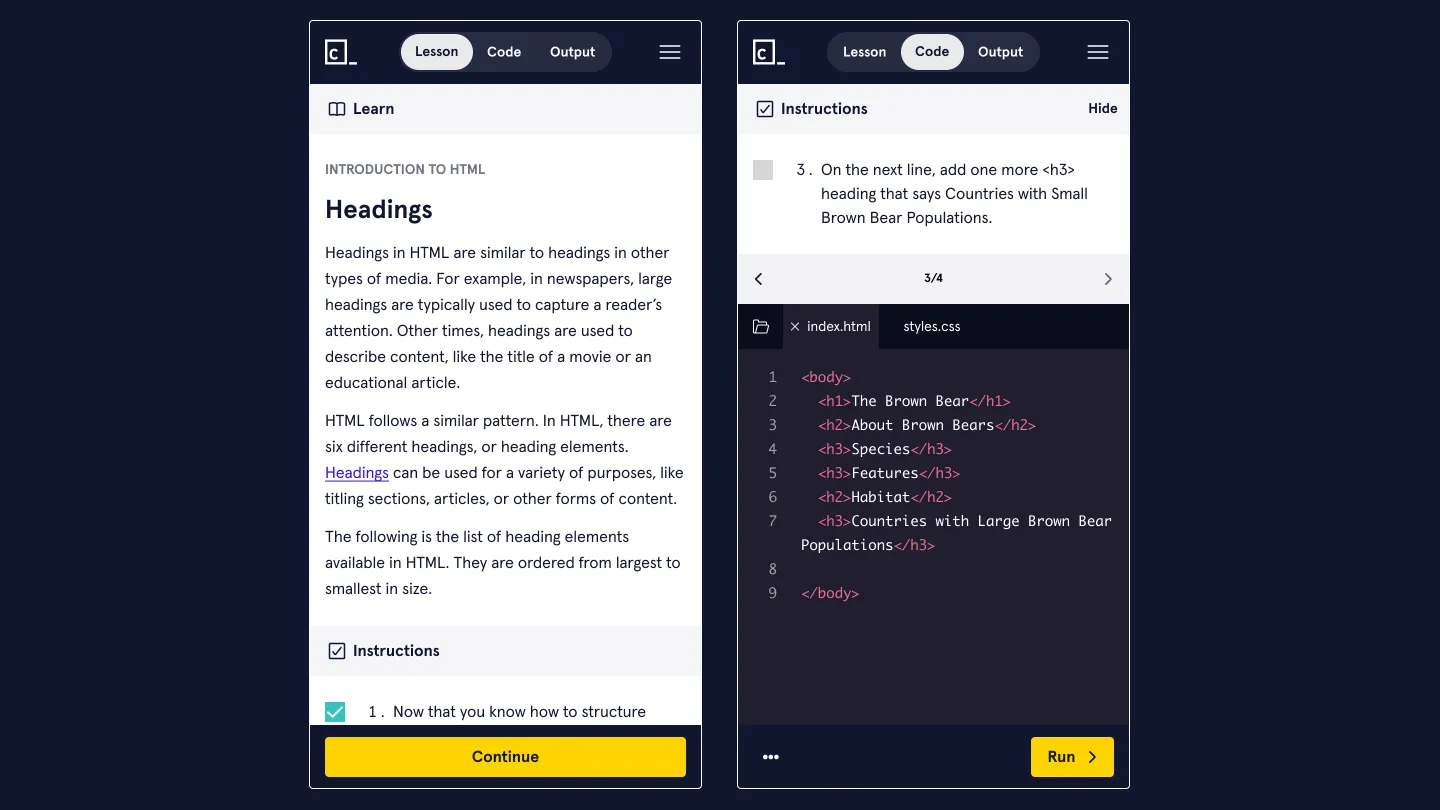
The Basic plan is free and constrained in a specific pattern. It includes basic access to free courses, community support and learning resources - and then applies the word “Limited” to almost everything else:
- Limited mobile application access
- Limited quizzes
- Limited real-world projects
- Limited AI learning assistance
That is a deliberate design, and understanding it explains the product. The free tier is not restricted by topic - it is restricted by practice.
You can read and follow along. What you cannot do freely is the repetition, the projects and the AI help that turn following along into competence. And since practice rather than exposure is what actually produces skill, the free tier gives you the part of learning that feels productive and withholds the part that is.
The honest assessment: Basic is enough to find out whether you enjoy programming, which is a legitimate and valuable question to answer at no cost. It is not enough to learn it properly. If you are still using it after a fortnight and making progress, you have outgrown it and the constraint is now costing you time rather than saving you money.
Plus vs Pro: The Real Dividing Line
Plus unlocks everything to learn with
Plus includes unlimited mobile application access, all 300-plus courses, unlimited quizzes, personalised practice with AI, skill paths, unlimited real-world projects, certificates of completion, unlimited AI learning assistance, priority support, and one complimentary workshop on annual plans.
Read that list again with the pricing question in mind: all 300-plus courses sits on Plus. There is no library held back behind the higher tier, which is exactly the assumption most people bring to a two-tier subscription.
Pro sells a job search, not a curriculum
Pro adds career paths, professional certifications aimed at job-readiness, technical interview preparation, code challenges, assessments, an AI interview simulator, and a job-readiness checker.
Every one of those is about employment rather than education. Pro is not the “learn more” tier - it is the “get hired” tier, and it is priced as a small premium on a career transition rather than a large premium on a hobby.
How to choose
The question is therefore not how much do I want to learn? but what am I trying to accomplish?
| Your goal | Right tier |
|---|---|
| Find out whether you enjoy programming | Basic, free |
| Add a skill for your current role | Plus, $11.99 |
| Learn out of curiosity, not for work | Plus, $11.99 |
| Change careers into software | Pro, $15.99 |
| Prepare for technical interviews | Pro, $15.99 |
At a difference of $4 per month, the decision is low-stakes financially. But buying Pro expecting more learning material, and buying Plus while preparing for interviews, are both common errors, and both waste something more valuable than the four dollars - the time spent discovering the mistake.
AI Features in 2026
Codecademy’s AI capabilities cluster into three categories, and they deserve description rather than enthusiasm.
Personalised practice with AI on Plus adapts exercises to what you have struggled with. That is a genuine improvement over a fixed curriculum that repeats material you already know and moves past material you did not absorb - the single biggest weakness of pre-recorded course sequences.
Unlimited AI learning assistance on Plus means help on demand while working through a problem, rather than the limited allowance on Basic.
AI interview simulator and job-readiness checker on Pro are the more distinctive additions. Technical interviews are a learnable skill largely independent of programming ability, and practising them is otherwise difficult without another person willing to spend an hour asking you questions. An AI simulator does not replicate the social pressure of a real interview, but it does replicate the format, and repetition on format is most of what candidates lack.
The uncomfortable question, stated honestly
There is a real risk in learning to code alongside an AI assistant, and it would be dishonest not to name it: assistance can produce a convincing feeling of competence that does not survive its removal.
If AI explains every error and suggests every fix, you may complete a course without building the diagnostic ability that the struggle was supposed to develop. Debugging is not a topic you study; it is a capability you acquire by being stuck and finding your way out. An assistant that removes the stuck also removes the acquisition.
Codecademy’s AI tooling is well-implemented and does not cause this by itself. But the learner has to be deliberate about attempting things unaided before asking, and the platform cannot enforce that discipline on anyone’s behalf.
That is a caution about how to use the product rather than a criticism of it, and it applies to every AI-assisted learning platform in 2026.
Certificates: What They Are Worth
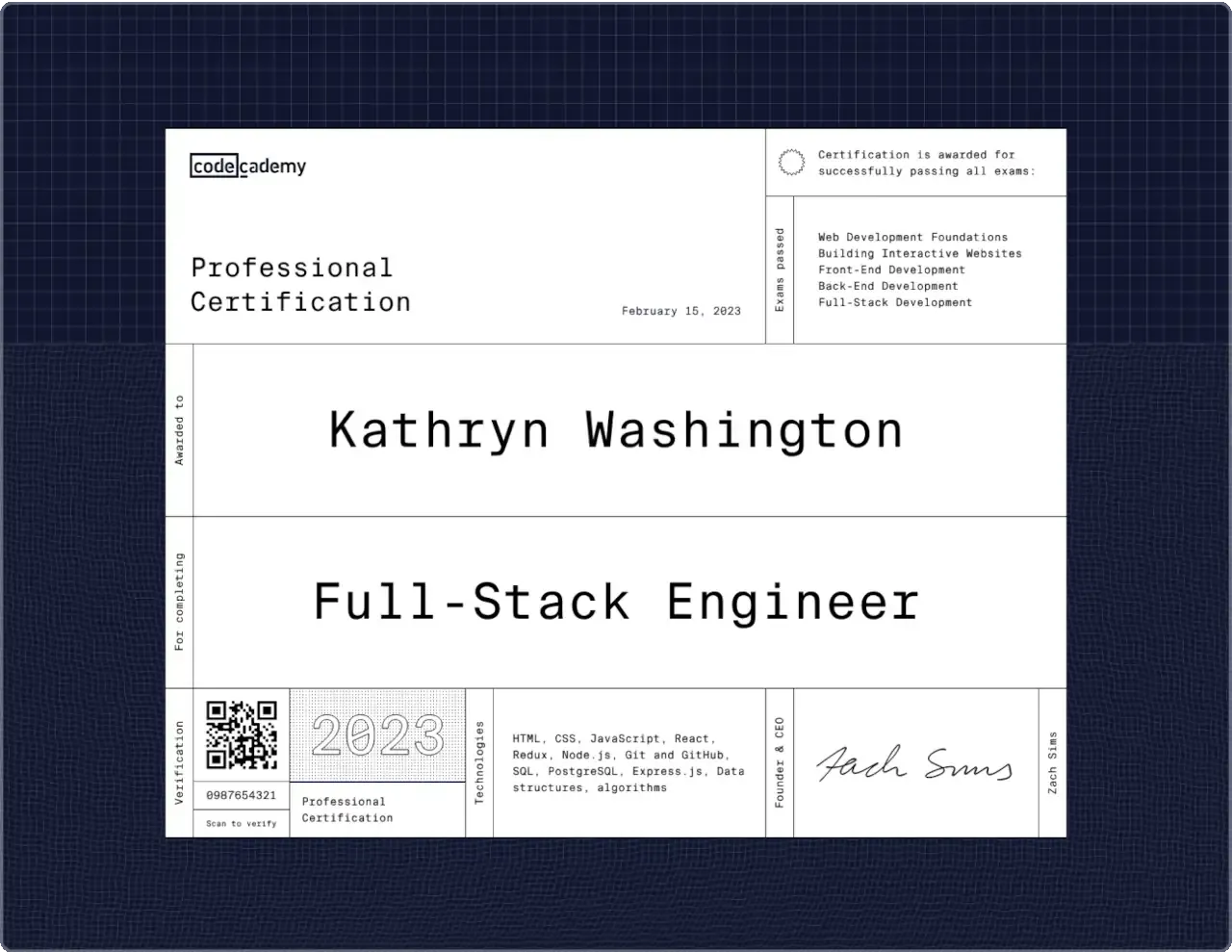
Codecademy issues certificates of completion on Plus and professional certifications on Pro. Being straightforward about their value matters more than being encouraging.
Certificates of completion carry limited weight with employers. They record that you finished a course. Most hiring managers assess candidates on projects, code and interview performance, and a completion certificate substitutes for none of those.
Their real value is internal. A certificate is a commitment device - visible evidence of progress that helps sustain motivation through the phase where nothing works yet and the whole undertaking feels like a mistake. That is genuinely useful, and it is a different thing from being a hiring credential. Learners who understand which one they are getting are not disappointed by it.
Professional certifications on Pro are positioned as job-readiness evidence and sit alongside the interview preparation tooling. Whether a given employer weights them is beyond what we can verify, and we would not advise choosing Pro for the certificate alone. Choose it for the career paths and interview practice, and treat the certification as a by-product rather than the purchase.
Pricing Analysis
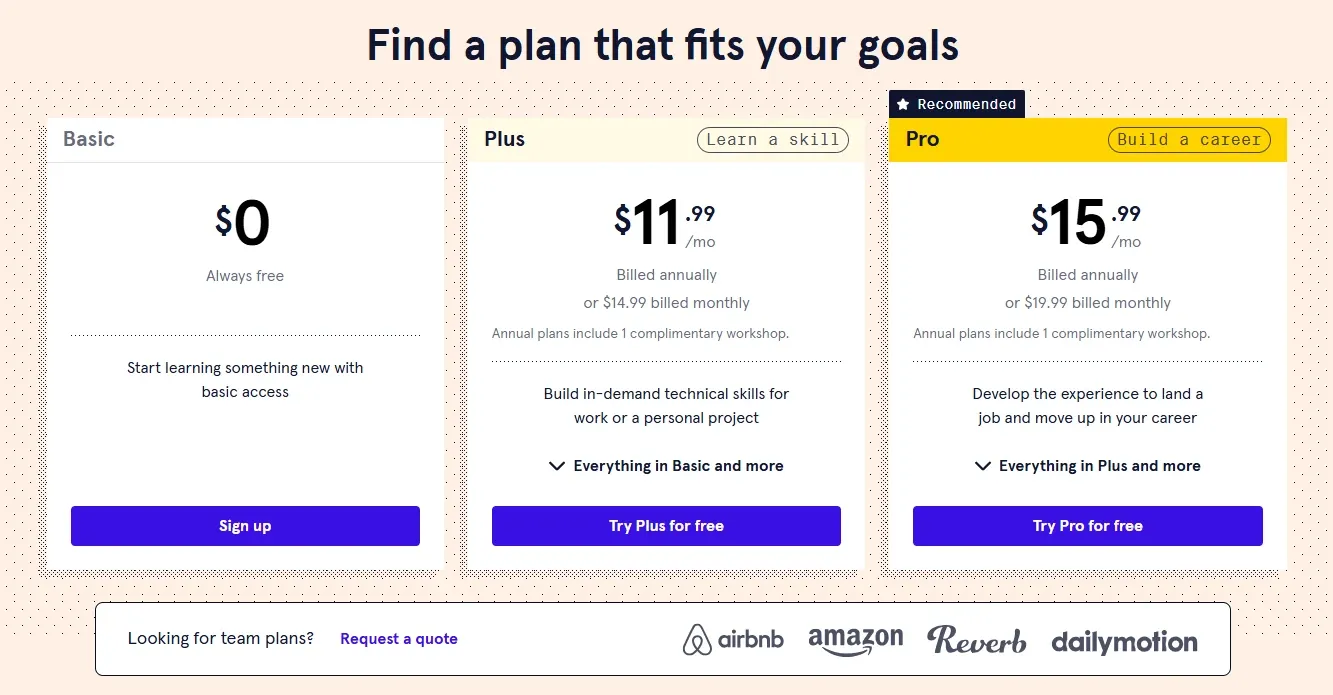
| Plan | Annual, per month | Monthly |
|---|---|---|
| Basic | Free | Free |
| Plus | $11.99/month | $14.99/month |
| Pro | $15.99/month | $19.99/month |
All annual plans include one complimentary workshop per subscription or renewal.
Annual saves about 20 per cent
Our arithmetic: Plus falls from $14.99 to $11.99, a saving of about 20 per cent. Pro falls from $19.99 to $15.99, also about 20 per cent.
Given that learning to code is a months-long undertaking rather than a weekend project, annual billing matches how the product is actually used. Anyone genuinely committed to the outcome will be using it in month six, and the workshop being annual-only adds a second reason.
The counter-argument is honest too: a substantial share of people who start learning to code stop within two months, and for them monthly billing is cheaper. If you are unsure of your own commitment, pay monthly and switch once you have proven it to yourself.
Where the value sits
Plus at $11.99 per month annually buys unlimited access to more than 300 courses with AI-assisted practice - well under the price of a single technical textbook, for a year of material.
Judged as an education purchase rather than a software subscription, that is inexpensive, and the comparison to a bootcamp costing several thousand dollars is not close.
The comparison that genuinely constrains it is not another paid platform. It is freeCodeCamp, which is free and comprehensive. What Codecademy sells against it is structure, sequencing and the accountability that comes from having paid - which is worth $11.99 to some learners and nothing at all to others. Know honestly which one you are before subscribing, because paying for accountability you do not need is the most common way this purchase is wasted.
Who Should Use Codecademy, and Who Should Not
Strong fit: complete beginners who need a structured path rather than a pile of resources and no idea what order to take them in; career changers, who should go straight to Pro for the interview preparation; people who learn better with immediate in-browser feedback and no environment setup to fight through first; learners who need external structure to maintain momentum.
Poor fit: experienced engineers wanting depth in a specialism, where Pluralsight targets that audience directly; disciplined self-learners on a zero budget, for whom freeCodeCamp covers the same ground at no cost; anyone needing deep expertise in one narrow technology rather than breadth across many.
Head-to-Head Comparisons
- Codecademy vs Pluralsight: different stages of a career rather than competing products. Codecademy takes you from zero to employable; Pluralsight takes working engineers deeper into specific technologies. Beginners on Pluralsight tend to drown in assumed knowledge; experienced developers on Codecademy tend to be bored within an hour.
- Codecademy vs freeCodeCamp: the comparison that decides whether to pay at all. You are buying structure, sequencing and accountability, not content that is otherwise unavailable.
- Codecademy vs Coddy: Coddy also focuses on interactive, in-browser practice. Both suit beginners, and the choice comes down to which teaching style you find easier to stick with - which is worth testing on the free tiers before paying either.
Plan pricing, per-tier features and AI capabilities in this review were verified against Codecademy’s official pricing page on 18 August 2026. Annual saving percentages are our own arithmetic from the published figures. Assessments of certificate value with employers are our editorial judgement rather than vendor claims. Confirm current terms at codecademy.com before subscribing.
Evaluation Metrics
Accuracy in parsing call graphs, types, and catching subtle edge cases without noise.
Average execution time under 45s across PR triggers on GitHub Actions & GitLab CI.
Detection rate of OWASP Top 10 flaws, SQL injection risks, and leaked API secrets.
Time saved per senior reviewer and ease of interactive inline PR code chat.
Pros & Cons
What We Like (Pros)
- Plus already unlocks all 300-plus courses, so Pro is not about more content
- Pro adds career paths, professional certifications and an AI interview simulator
- Unlimited AI learning assistance and personalised practice from the Plus tier
- Code runs in the browser with no local environment setup
Considerations (Cons)
- The free tier limits projects, quizzes, mobile access and AI assistance
- Certificates of completion carry limited weight with employers
- Depth is aimed at beginners rather than experienced engineers
- The complimentary workshop is only included on annual plans
Codecademy vs the Closest Alternatives
Alternatives named in this review, not tools that merely share a category.
| Feature Matrix |  Codecademy Reviewed Tool | Pluralsight Not reviewed here | freeCodeCamp Not reviewed here |
|---|---|---|---|
| Rating Score | 4.8 / 5.0 | Not rated by us | Not rated by us |
| Pricing Model | Basic Free • Plus $11.99/mo • Pro $15.99/mo (billed annually) | Core Tech $21/mo - Complete $39/mo (billed yearly) | Free, including the certifications |
| Best For | Complete beginners who need a structured path rather than a pile of resources and no idea what order to take them in; career changers, who should go straight to Pro for the interview preparation. | Experienced engineers wanting depth in a specialism | Disciplined self-learners on a zero budget |
| Key Differentiator | Interactive in-browser lessons on a structured beginner-to-employable path | Takes working engineers deeper into specific technologies | The same ground at no cost, without structure or sequencing |
| Action / Review | Try Free |
Frequently Asked Questions
Does Codecademy train AI models on private repository code?
No. Codecademy strictly adheres to zero-data-retention standards. Code diffs and repository context are processed in ephemeral memory for the duration of the review execution and are never stored or used to train public models.
How do I configure custom coding standards and linters?
Codecademy reads a repository configuration file placed in the root directory. You can define rule severity, exclude specific paths, set language guidelines, and prompt instructions matching your team's style guide.
Is Codecademy free for open-source software projects?
Public open-source repositories hosted on GitHub and GitLab receive free automated reviews with no cap on the number of repositories, pull requests, or contributors.
Which languages and frameworks does Codecademy support?
Codecademy covers the mainstream ecosystem - TypeScript/JavaScript, Python, Go, Java, Ruby, PHP, Rust, and C# - along with infrastructure-as-code formats such as Terraform, Dockerfiles, and Kubernetes manifests.
How does Codecademy handle security scanning?
Codecademy scans every incoming commit for hardcoded API keys, database credentials, SQL injection risks, and OWASP Top 10 security vulnerabilities before code is merged into production. High-priority security alerts are flagged directly inline within the pull request.


