

The Bottom Line
Netlify is ranked #4 in our Hosting & Cloud category. Credit-billed Jamstack hosting with unlimited team seats on Pro. We rate it 4.8/5.
Best for
Teams with many contributors but moderate traffic, where unlimited seats dominate the cost equation; static and Jamstack sites.
Considerations
High-bandwidth sites, where 20 credits per gigabyte compounds quickly; applications that need complex edge logic rather than edge delivery.
Executive Summary & Independent Verdict
Most published comparisons of Netlify describe a product that no longer exists. They quote “100 GB of bandwidth and 300 build minutes” and price the Pro plan per seat. Both of those facts stopped being true during 2026, and the gap between what the internet says about Netlify and what Netlify actually charges is now wide enough to produce genuinely bad purchasing decisions.
Netlify bills on a single credit balance spent across five meters, and on 14 April 2026 it removed per-seat pricing entirely. Pro became a flat $20 per month with unlimited team members. Build minutes are no longer metered as a separate line item at all; the 15-credit production deploy now covers the build itself.
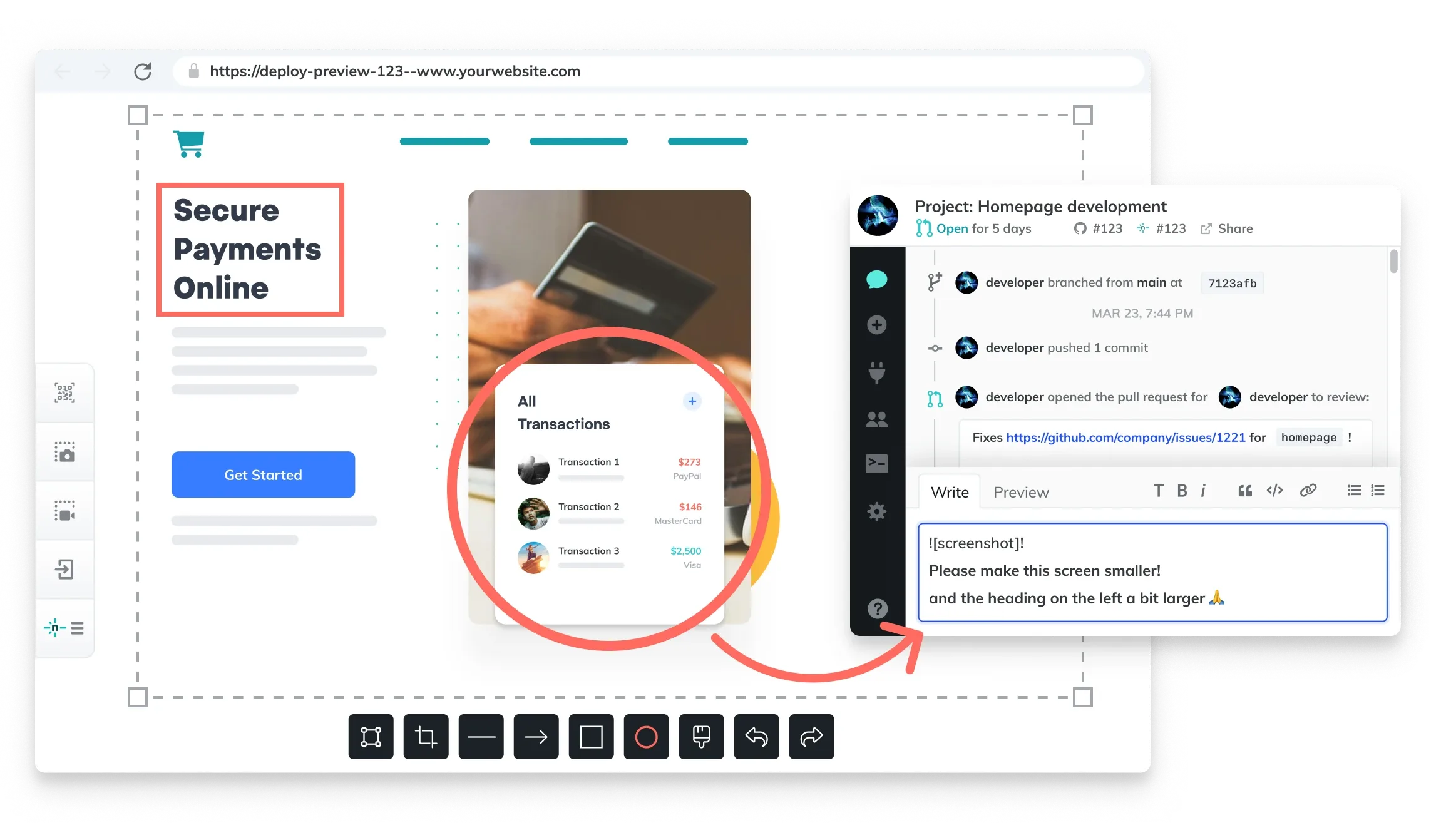
That change cuts two ways, and this review separates them rather than reaching a one-sided conclusion. Dropping per-seat pricing is a genuine, material win for teams with many contributors. Doubling the credit rate on bandwidth and compute in the same update is a genuine, material price increase for sites that serve a lot of traffic. Which of those applies to you depends entirely on the shape of your workload, and the two facts are frequently reported in isolation, producing either an unwarranted celebration or an unwarranted panic.
We place Netlify at #4 in Hosting & Cloud. It remains the most cost-predictable option in this category for a large team shipping a content-driven site, and the least attractive for a bandwidth-heavy application where every gigabyte now costs twice what it did in March.
The 2026 Pricing Reset
This is the single most important thing to understand about Netlify today, and the reason most search results about it are misleading.
From separate meters to one credit balance
The old model metered bandwidth and build minutes independently. You watched two gauges, and running out of either could stop a deploy. That created a specific and familiar failure mode: a team would exhaust its build minutes mid-sprint while sitting on unused bandwidth, unable to trade one for the other.
The new model replaces both with credits, spent across five meters:
- Production deploys
- Compute
- Bandwidth
- Web requests
- AI inference
A production deploy costs 15 credits, and that figure now includes the build. There is no separate build-minute budget to exhaust, which removes the trapped-resource problem described above. Whether the new arrangement is cheaper for you depends on the mix, but it is structurally more flexible.
The inclusion of AI inference as a fifth meter is worth noting on its own. It signals that Netlify expects AI workloads to run on the platform rather than being proxied to a third-party API, and it means a site that adds an AI feature draws down the same balance that funds its deploys.
The 14 April 2026 changes
Netlify published a changelog entry titled Pricing updates for Credit-based plans. Four things changed at once:
| Meter | Before 14 Apr 2026 | After 14 Apr 2026 | Direction |
|---|---|---|---|
| Bandwidth | 10 credits/GB | 20 credits/GB | Doubled |
| Compute | 5 credits/GB-hour | 10 credits/GB-hour | Doubled |
| Web requests | 3 credits/10k | 2 credits/10k | Reduced |
| Seat pricing | Per-seat | Removed entirely | Removed |
Reading those four rows together tells you who the change was designed for. Netlify made itself cheaper for teams with many people and comparatively few resources consumed, and more expensive for small teams pushing large volumes of data. That is a deliberate repositioning toward collaborative organisations and away from high-traffic single-operator sites.
On 14 July 2026, Netlify added larger credit tiers to Pro with rollover, reaching 20,000 credits at $126 per month. Rollover is the important word there - it is the first acknowledgement that usage is uneven month to month, and it is available only on the higher tiers.
Legacy accounts were not forced to migrate
Accounts created before September 2025 keep the old allowance of 100 GB of bandwidth and 300 build minutes. If you have been running a Netlify site for a few years and the credit dashboard looks unfamiliar, that is why.
This detail also explains why online advice about Netlify is so inconsistent. Much of it is accurate for legacy accounts and wrong for new ones, and almost nobody writing it makes the distinction explicit. Before acting on any Netlify cost guidance you read elsewhere, establish which billing model the author was on.
How Credits Actually Convert
Credit systems are only useful if you can translate them back into work. Here are the published rates:
| Meter | Credit cost |
|---|---|
| Production deploy (build included) | 15 credits |
| Bandwidth | 20 credits per GB |
| Compute | 10 credits per GB-hour |
| Web requests | 2 credits per 10,000 requests |
Applying those rates to each plan’s allowance gives the following. These conversions are our own arithmetic, not figures published by Netlify, and they assume you spend the entire balance on a single meter - real usage will mix them.
| Plan | Credits | If spent only on deploys | If spent only on bandwidth |
|---|---|---|---|
| Free | 300 | 20 deploys | 15 GB |
| Personal ($9) | 1,000 | around 66 deploys | 50 GB |
| Pro ($20) | 3,000 | 200 deploys | 150 GB |
| Pro (top tier, $126) | 20,000 | around 1,333 deploys | around 1,000 GB |
Reading the free tier honestly
Twenty production deploys per month is enough for a personal site under active development, particularly since branch deploys and previews are the cheaper part of the workflow. The free tier is a genuine hobby tier rather than a trial.
But 15 GB of bandwidth is not much for anything that gets real traffic, and this is where the April rate change bites hardest. The same 300 credits bought 30 GB before. A site that was comfortably inside the free tier in March may be exhausting it by mid-month now, without anything about the site having changed.
A more realistic mixed-usage model
Pure single-meter arithmetic is a useful boundary but not a forecast. Our own illustrative model for a small marketing site on Pro, deploying twice a working day and serving moderate traffic:
| Activity | Volume | Credits |
|---|---|---|
| Production deploys | 40 per month | 600 |
| Bandwidth | 80 GB | 1,600 |
| Web requests | 2,000,000 | 400 |
| Total | 2,600 of 3,000 |
That site fits inside Pro with headroom, and bandwidth is clearly the dominant consumer at roughly 62% of the total. This is the general shape for content sites: unless you deploy unusually often, bandwidth is the meter that determines your plan. Model that number first and treat the rest as secondary.
Note also that the larger Pro credit tiers include rollover, which the base tiers do not. If your traffic is seasonal - a retailer with a Q4 peak, an events business, a site tied to an academic calendar - rollover matters more than the headline credit count, because it lets quiet months subsidise busy ones.
Platform Capabilities
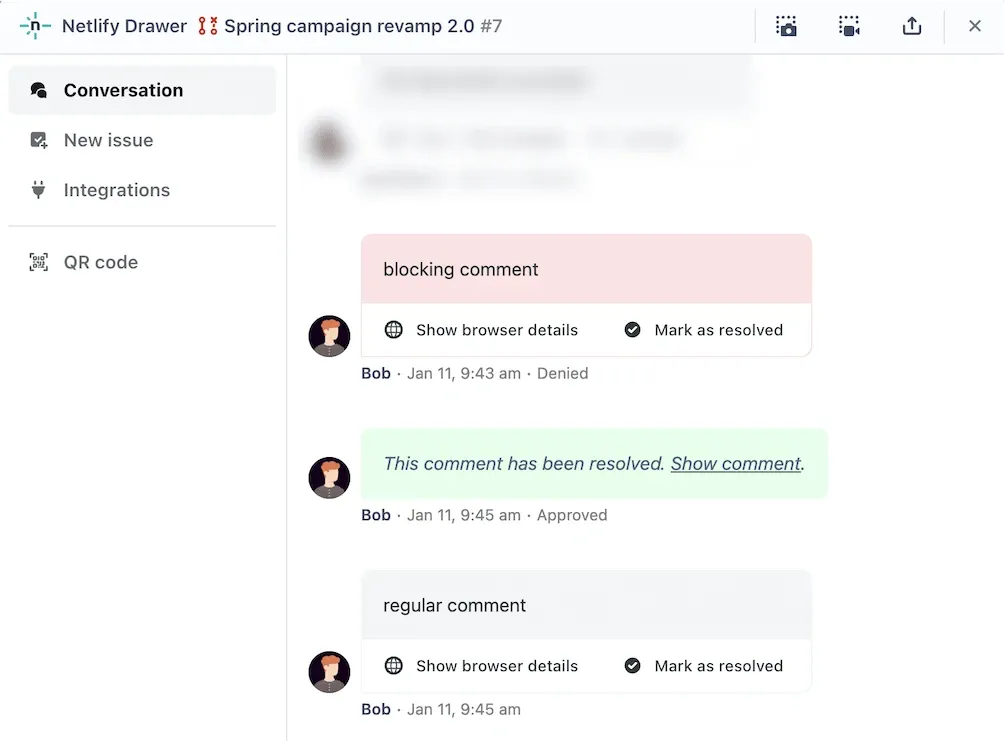
Deploy previews and branch deploys
Netlify’s core workflow has been stable for years and remains one of the smoothest in the category. Every branch can produce its own deployment, every pull request gets a preview URL, and rolling back is a matter of promoting an earlier deploy rather than re-running a build.
That last point deserves emphasis because it is an operational property rather than a feature. When a bad deploy reaches production at three in the afternoon, the recovery path is selecting a previous deploy and promoting it - seconds, deterministic, and requiring no build infrastructure to be working at the time. Platforms that recover by rebuilding from an earlier commit are slower and depend on the build pipeline being healthy, which is not guaranteed during an incident.
Concurrent builds
The Pro plan runs three or more concurrent builds. For a team where several people merge in the same hour, build queueing is the difference between a two-minute wait and a twenty-minute one.
This is one of the concrete reasons to move off Personal beyond the credit count alone, and it is easy to underestimate during evaluation because queueing only becomes visible under team load. A solo developer testing the platform will never encounter it; the same platform with six engineers merging before a release feels entirely different.
Netlify Functions and Edge Functions
Serverless functions and edge functions are both available, and this is also where Netlify’s clearest technical limitation sits.
Its edge capability is oriented around CDN delivery rather than advanced routing or real-time edge logic, and function runtime support centres on JavaScript and Go. If your architecture depends on running arbitrary runtimes at the edge, or on complex request manipulation before a request reaches your application, this is the constraint to test before committing rather than after.
The distinction that matters in practice: Netlify is excellent at getting assets close to users. It is less capable at running substantial logic in that same edge layer. For most content-driven sites, the first capability is what you need and the second is theoretical.
Service level
The Enterprise tier carries a 99.99% SLA. Free, Personal and Pro do not carry a contractual uptime guarantee.
This is standard across the category and rarely a deciding factor for smaller teams, but it is worth knowing before an internal procurement conversation. If your organisation requires a contractual uptime commitment, the published price list does not apply to you.
Plans in Full
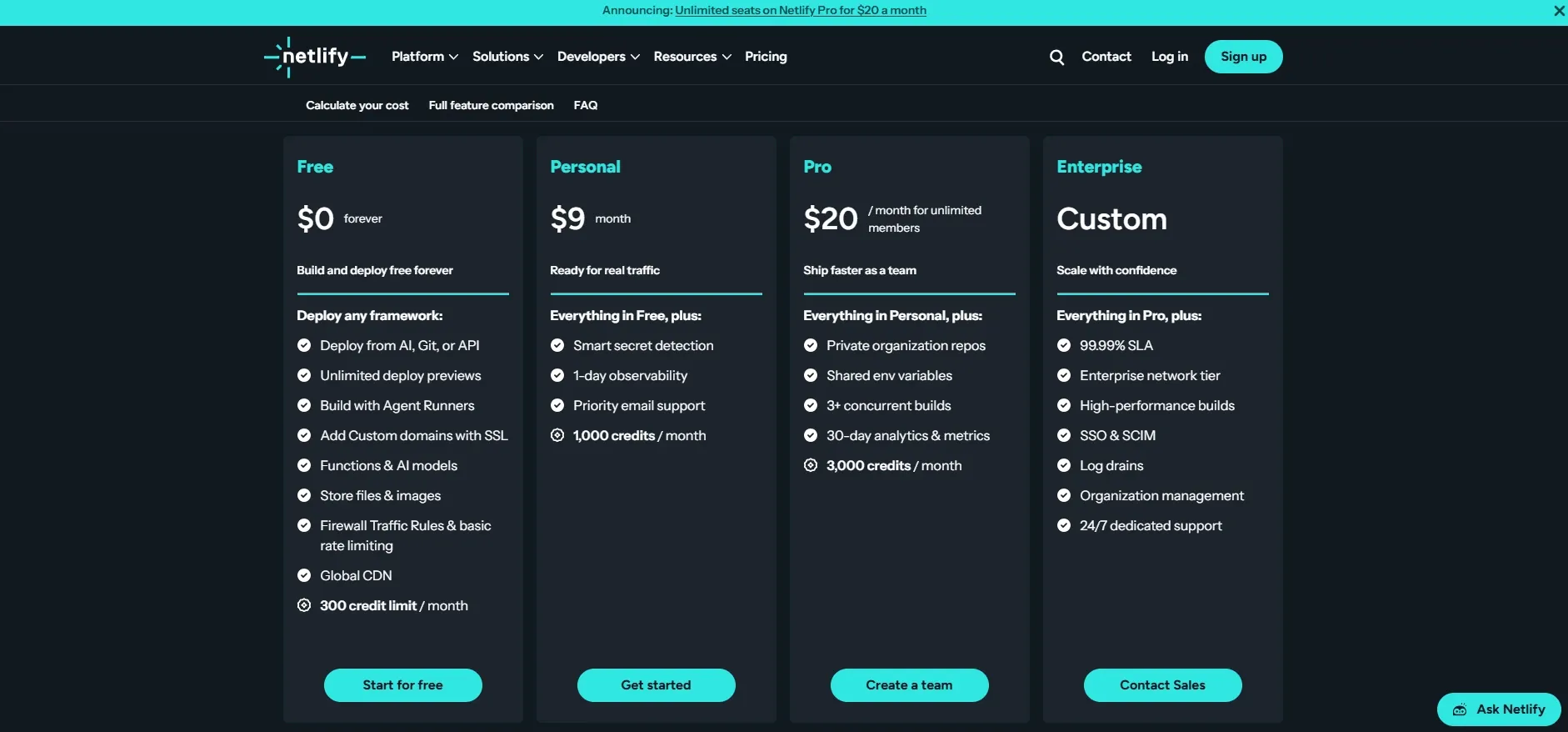
| Plan | Price | Credits | Members | Notes |
|---|---|---|---|---|
| Free | $0 | 300 | 1 | Sufficient for a personal site under active development |
| Personal | $9/month | 1,000 | 1 | Cheapest paid entry point in this category |
| Pro | $20/month | 3,000 | Unlimited | 3+ concurrent builds; larger credit tiers with rollover up to 20,000 credits at $126/month |
| Enterprise | Custom | Unlimited | Unlimited | 99.99% SLA |
The case for the $9 Personal tier
The Personal tier deserves a specific mention, because it is frequently skipped in comparisons that jump straight from free to Pro.
At $9 per month it is the cheapest paid entry point among the hosting platforms we track, and it more than triples the free credit allowance. For a freelancer running a handful of client sites, or a developer with several small projects that individually would not justify $20, it is frequently the right answer.
The constraint is the seat count: Personal is a single-member plan. The moment a second person needs deploy access, Pro is the only option - and at that point the unlimited-member policy makes the jump from $9 to $20 straightforward to justify.
Where the tier boundaries actually fall
Summarising the decision points:
- Free to Personal: you need more than roughly 15 GB of monthly bandwidth or 20 deploys.
- Personal to Pro: a second person needs access, or you need concurrent builds.
- Pro base to Pro higher tiers: your usage is seasonal and rollover would help, or you consistently exceed 3,000 credits.
- Pro to Enterprise: you need a contractual SLA.
Notice that only one of those four is about raw capacity. Netlify’s tier structure is organised around team size and operational guarantees more than resource consumption, which is unusual in hosting and is the clearest expression of who the platform is now built for.
Netlify vs Vercel in 2026
Both platforms charge $20 per month for their main paid tier, which makes the comparison look simpler than it is. The difference is entirely in what that $20 buys.
| Netlify Pro | Vercel Pro | |
|---|---|---|
| Price | $20/month flat | $20/month |
| Members | Unlimited | 1 developer seat plus unlimited viewer seats |
| Billing unit | 3,000 credits across five meters | $20 usage credit plus pay-as-you-go |
| Compute | 10 credits per GB-hour | Active CPU at $0.128/hour, I/O wait free |
| Edge | CDN delivery focused | Deeper routing and edge logic |
| Function runtimes | Mainly JavaScript and Go | Broader |
| Overage behaviour | Buy more credits | Pay-as-you-go |
Netlify wins when your team has many contributors and moderate resource consumption. Unlimited members is the single largest economic difference between the two platforms, and it is not something Vercel offers at the same price.
Vercel wins when the workload is an AI backend or anything with substantial I/O wait, because the Active CPU model does not charge while a function sits waiting for an external response. See the full analysis in our Vercel review and the side-by-side in Vercel vs Netlify.
One caveat worth stating plainly: the two most widely read Netlify-versus-Vercel comparisons are published by Netlify and Vercel respectively. Neither is a neutral source, and both contain seat-pricing figures that predate the April 2026 change. If a comparison you are reading still describes Netlify as charging per seat, it is out of date regardless of who wrote it.
Migration Considerations
For teams evaluating a move, three practical points determine how painful it will be.
Build configuration is portable in principle. A netlify.toml describes build commands and redirects in a platform-specific format, but the underlying build is a standard framework build. Moving to or from Netlify is generally a configuration translation rather than an application rewrite.
Functions are the sticky part. Netlify Functions and Edge Functions use platform-specific handler signatures. The more logic you move into them, the more work a future migration becomes. Teams that value portability tend to keep functions thin and put substantive logic in a framework-level API route that runs anywhere.
Redirects and headers deserve testing. These are the details that silently break after a migration - a redirect rule that behaved one way on the old platform and another way on the new one, discovered weeks later via a drop in search traffic. Whichever direction you move, audit them explicitly rather than assuming equivalence.
Who Should Use Netlify, and Who Should Not
Strong fit: teams with many contributors but moderate traffic, where unlimited seats dominate the cost equation; static and Jamstack sites; freelancers running several small client sites on the $9 Personal tier; content-driven sites where bandwidth is predictable; anyone who wants a lighter platform integration and an easier exit than a deeply coupled alternative.
Poor fit: high-bandwidth sites, where 20 credits per gigabyte compounds quickly; applications that need complex edge logic rather than edge delivery; workloads on runtimes outside JavaScript and Go; teams that require a contractual uptime SLA below the Enterprise tier; anyone whose cost model depends on advice written before April 2026.
Head-to-Head Comparisons
- Netlify vs Vercel: near-identical headline price, opposite strengths - unlimited seats against CPU-accurate compute billing. Full breakdown in Vercel vs Netlify.
- Netlify vs Railway: different problems entirely. Netlify hosts sites and functions; Railway runs long-lived services, workers and databases metered by the second. A team running both is not being indecisive - they solve different halves of an architecture.
- Netlify vs Kinsta: Kinsta is managed WordPress on Google Cloud. If your stack is WordPress rather than Jamstack, the comparison is decided at the stack level and never reaches the hosting question.
- Netlify plus Shipixen: Shipixen generates standard Next.js repositories that deploy to Netlify without modification, which is a reasonable pairing for agencies producing many marketing sites.
Pricing, credit rates and plan structure in this review were verified against Netlify’s official pricing page, billing documentation and the 14 April 2026 changelog entry on 19 August 2026. Credit-to-work conversions and the mixed-usage model are our own arithmetic and are labelled as such. Netlify has changed its credit rates twice during 2026, so confirm current terms at netlify.com before committing.
Evaluation Metrics
Accuracy in parsing call graphs, types, and catching subtle edge cases without noise.
Average execution time under 45s across PR triggers on GitHub Actions & GitLab CI.
Detection rate of OWASP Top 10 flaws, SQL injection risks, and leaked API secrets.
Time saved per senior reviewer and ease of interactive inline PR code chat.
Pros & Cons
What We Like (Pros)
- Pro is a flat $20/month with unlimited team members after per-seat pricing was dropped in April 2026
- Personal tier at $9/month is the cheapest paid entry point in this category
- One credit balance replaces the separate build-minute and bandwidth meters
- Pro runs three or more concurrent builds, and Enterprise carries a 99.99% SLA
Considerations (Cons)
- Bandwidth doubled to 20 credits per GB in April 2026, raising costs for traffic-heavy sites
- Compute also doubled to 10 credits per GB-hour in the same update
- Edge capability is narrower than rivals, focused on CDN delivery over advanced edge logic
- Function runtime support centres on JavaScript and Go
Netlify vs the Closest Alternatives
Alternatives named in this review, not tools that merely share a category.
| Feature Matrix |  Netlify Reviewed Tool |  Vercel |  Railway |
|---|---|---|---|
| Rating Score | 4.8 / 5.0 | 4.9 / 5.0 | 4.8 / 5.0 |
| Pricing Model | Free (300 credits) • Personal $9/mo • Pro $20/mo unlimited members | Hobby Free • Pro $20/mo ($20 usage credit) • Enterprise custom | Free ($1 credit/mo) • Hobby $5/mo • Pro $20/mo per workspace |
| Best For | Teams with many contributors but moderate traffic, where unlimited seats dominate the cost equation; static and Jamstack sites. | Next.js applications, where first-party support is a genuine advantage; AI backends, agents and LLM streaming endpoints where idle time dominates. | Long-running services, background workers and cron jobs that serverless platforms handle awkwardly; monorepos with several services that need to talk to each other. |
| Key Differentiator | Jamstack hosting with unlimited members on a flat plan price | Active CPU billing on a Next.js-native platform with per-PR preview deploys | Per-second-metered containers for long-running services, workers and cron jobs |
| Action / Review | Try Free | Read Review | Read Review |
Full breakdown: Netlify vs Vercel.
Frequently Asked Questions
Does Netlify train AI models on private repository code?
No. Netlify strictly adheres to zero-data-retention standards. Code diffs and repository context are processed in ephemeral memory for the duration of the review execution and are never stored or used to train public models.
How do I configure custom coding standards and linters?
Netlify reads a repository configuration file placed in the root directory. You can define rule severity, exclude specific paths, set language guidelines, and prompt instructions matching your team's style guide.
Is Netlify free for open-source software projects?
Public open-source repositories hosted on GitHub and GitLab receive free automated reviews with no cap on the number of repositories, pull requests, or contributors.
Which languages and frameworks does Netlify support?
Netlify covers the mainstream ecosystem - TypeScript/JavaScript, Python, Go, Java, Ruby, PHP, Rust, and C# - along with infrastructure-as-code formats such as Terraform, Dockerfiles, and Kubernetes manifests.
How does Netlify handle security scanning?
Netlify scans every incoming commit for hardcoded API keys, database credentials, SQL injection risks, and OWASP Top 10 security vulnerabilities before code is merged into production. High-priority security alerts are flagged directly inline within the pull request.


