

The Bottom Line
Wispr Flow is ranked #3 in our Learning & Content Creation category. AI dictation and meeting notes across desktop and mobile, unlimited on Android. We rate it 4.8/5.
Best for
Organisations in healthcare, finance or legal needing certified compliance and a signed BAA; Android users, who get an unlimited free tier that is genuinely complete.
Considerations
Users who require fully offline transcription - verify before ruling it out, but Superwhisper documents it explicitly and Wispr Flow does not; anyone who prefers a perpetual licence to a subscription.
Executive Summary & Independent Verdict
Wispr Flow and Superwhisper solve the same problem - turning speech into usable text - from opposite starting assumptions.
Superwhisper optimises for individual control: local models, offline operation, a one-time purchase option, and the ability to supply your own model keys. Wispr Flow optimises for organisations: compliance certification, identity infrastructure, meeting notes with speaker identification, and the widest platform coverage in this category.
Neither approach is better in the abstract. They are answers to different questions, and knowing which question you are asking makes the choice straightforward rather than agonising.
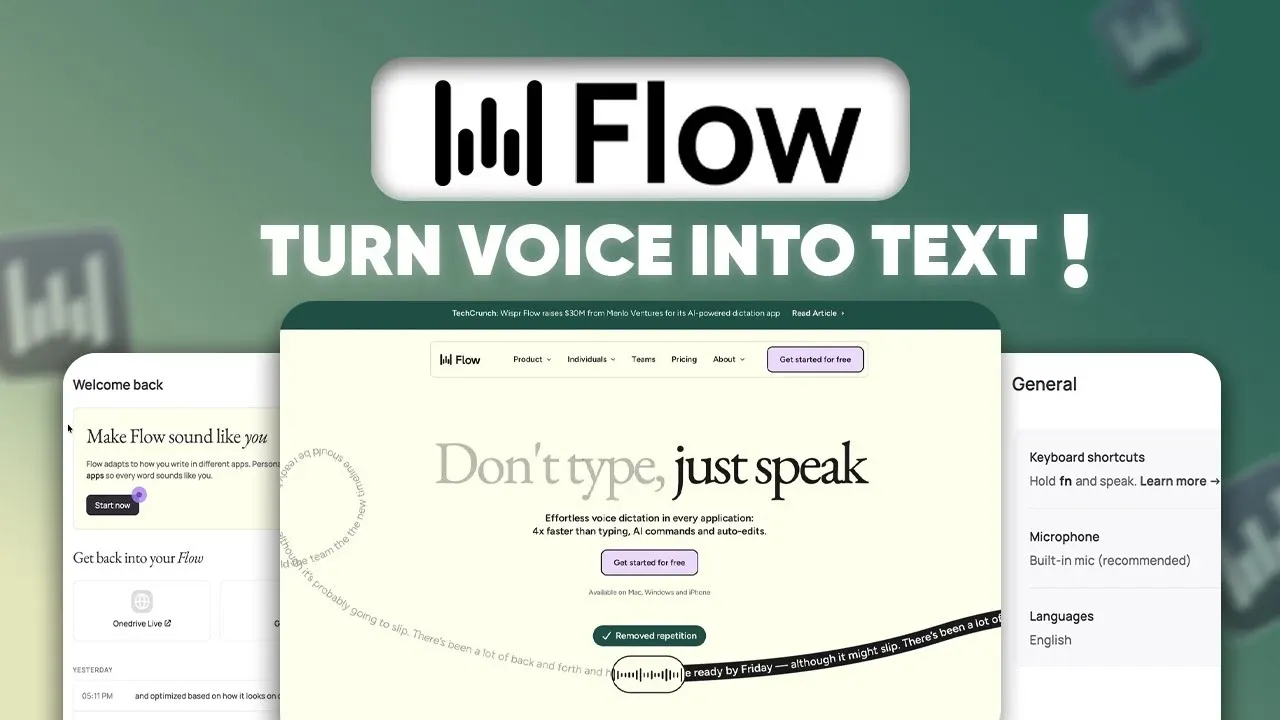
We place Wispr Flow at #3 in Learning & Content Creation, ahead of Superwhisper at #5. Three things drive that: it covers four platforms including Android, its free tier is materially more generous, and its compliance position - SOC 2 Type II, ISO 27001 and a HIPAA-ready BAA - makes it deployable in regulated environments where the alternative is not.
The Free Plan Is Unusually Generous
Most dictation tools use the free tier as a demonstration: enough to see that it works, not enough to use. Wispr Flow’s is closer to a working product, and one detail in particular stands out.
| Platform | Free allowance |
|---|---|
| Desktop (Mac, Windows) | 2,000 words per week |
| iPhone | 1,000 words per week |
| Android | Unlimited |
Unlimited on Android
That third row is not a typo. Android dictation on the free plan has no word limit.
We have not seen this offered anywhere else in the category, and it is the single most under-reported fact about this product. If Android is your primary device, Wispr Flow’s free tier is not a trial - it is a complete dictation tool at no cost, indefinitely, with the notetaker included.
Why the asymmetry exists is not stated, and speculating would not help. What matters practically is that an Android user evaluating dictation tools has an unusually strong free option, and that the same user on iPhone does not.
What else the free plan includes
- Speech-to-text in 100-plus languages
- Notetaker with speaker identification
- Calendar and Slack integration
- HIPAA-ready
The notetaker with speaker identification on the free tier is the second surprise. Knowing who said what in a meeting is typically a paid capability, and often a mid-tier one. So is calendar integration, which is what lets the tool know a meeting is happening without someone remembering to start it.
The realistic constraint
2,000 words per week on desktop works out to roughly 400 words a day across a five-day week - a few emails and a handful of messages.
That is enough to establish whether dictation fits your workflow, which is the honest purpose of a free tier. It is not enough to write with it daily, and anyone who finds dictation genuinely faster than typing will exhaust it by Wednesday. That is the point at which Pro becomes the honest answer rather than an upsell.
Meeting Notes with Speaker Identification
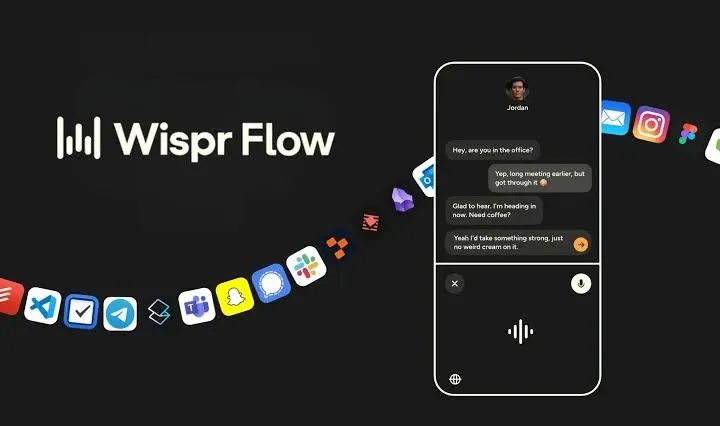
There is a meaningful difference between transcription and a notetaker, and it is worth being precise about because the two are marketed interchangeably across this category.
Transcription produces a wall of text. It is useful for search, painful to read, and ambiguous the moment more than one person is talking. A decision recorded without an owner is not much of a record, and a transcript that reads “we should probably do that by Friday” tells you nothing about who committed to it.
Speaker identification attributes each passage. That turns a transcript into something you can act on: who committed to what, who raised the objection, who owns the follow-up. For meetings that produce decisions rather than information, attribution is the entire value.
Calendar integration closes the loop by letting the tool know a meeting is happening rather than requiring someone to remember to start recording - which is precisely when recordings get missed, since the person most engaged in the conversation is least likely to remember.
Pro adds extended meeting retention. How long the free tier keeps meetings is not stated on the pricing page, and we could not confirm it. If you intend to rely on historical meeting records - for compliance, for onboarding, or simply for recall - establish that number before choosing a plan rather than discovering the window after it has closed.
Compliance: The Enterprise Argument
This is where Wispr Flow separates itself from the individual-focused tools in this category.
Enterprise includes “SOC 2 Type II, ISO 27001 compliance, HIPAA-ready BAA”, together with SAML single sign-on, SCIM, audit logs, dedicated support and volume discounts.
“HIPAA-ready” and “HIPAA-ready BAA” are not the same thing
This distinction matters enough to state carefully, because getting it wrong in a healthcare setting has consequences well beyond a bad software purchase.
HIPAA-ready - listed as a free tier feature - describes a product architected to handle protected health information appropriately. It is a statement about how the software is built.
A HIPAA-ready BAA - listed under Enterprise - is a Business Associate Agreement: a signed contract in which the vendor accepts legal responsibility as a business associate under HIPAA. It is a statement about who is liable.
Compliance teams require the second. A product being built to a standard is not the same as a vendor contractually accepting responsibility for meeting it, and no amount of architectural assurance substitutes for a signature.
If you are handling protected health information, the BAA is the item on the checklist, and it lives on the Enterprise tier. Plan accordingly rather than assuming the free tier’s “HIPAA-ready” label covers you.
The rest of the enterprise stack
SAML single sign-on, SCIM and audit logs are the usual identity and governance trio, and as with most tools in this list they are Enterprise-only.
Any organisation whose security policy mandates single sign-on should treat the published $12 and $15 prices as informational rather than applicable - the real quote comes from a sales conversation, and it is better to start that early than to complete an evaluation on prices that will not apply.
Pricing Analysis
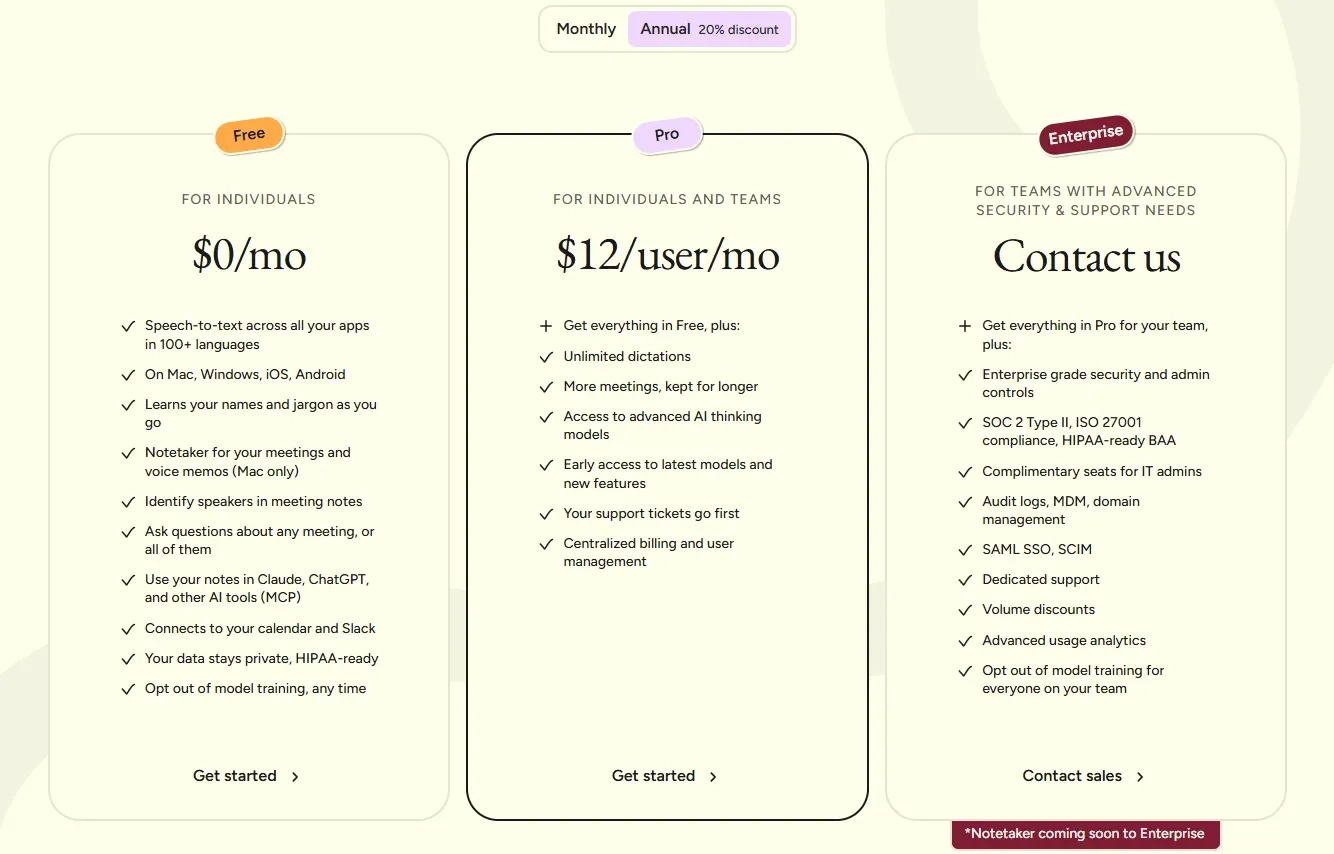
| Plan | Price | Word allowance | Platforms |
|---|---|---|---|
| Free | $0 | 2,000/week desktop, 1,000/week iPhone, unlimited Android | Mac, Windows, iOS, Android |
| Pro | $15/user/month, $12/user/month annually (20 per cent saving) | Unlimited | Mac, Windows, iOS, Android |
| Enterprise | Custom | Unlimited | Mac, Windows, iOS, Android |
Pro adds: unlimited dictation, extended meeting retention, “access to advanced AI thinking models”, early feature access, prioritised support and centralised billing.
On “advanced AI thinking models”
We are reproducing that phrase because it is what the pricing page says, and flagging that it is not specific enough to evaluate.
Which models, from which providers, applied to which part of the pipeline - transcription accuracy, formatting, summarisation, or the meeting notes - is not stated anywhere we could find. If the reasoning quality of the underlying models matters to your use case, ask before subscribing rather than inferring. We are not going to characterise a capability the vendor has not described, and neither should a buyer.
Against the alternative
Pro at $15 per month compares with Superwhisper Pro at $8.49 per month - roughly 76 per cent more.
Our own arithmetic on the annual difference: $12 against $8.49 per month is around $42 more per user per year, or $420 for a team of ten.
What the difference buys is the meeting notetaker with speaker identification, Android coverage, calendar and Slack integration, and a path to certified compliance. If none of those apply to you, the premium is not justified and Superwhisper is the better purchase. If even one of them does, there is no equivalent at the lower price.
Wispr Flow vs Superwhisper: The Real Comparison
| Wispr Flow | Superwhisper | |
|---|---|---|
| Our ranking | #3 (4.8/5) | #5 (4.8/5) |
| Pro price | $15/month ($12 annually) | $8.49/month |
| One-time purchase | Not offered | Lifetime licence available |
| Free tier | 2,000 words/week desktop, unlimited Android | Basic features plus a 15-minute Pro trial |
| Local or offline models | Not stated on the pricing page | Documented |
| Bring your own API keys | Not stated on the pricing page | Available on Pro |
| Android | Supported | Not supported |
| Languages | 100-plus | 100-plus |
| Notetaker with speaker ID | Included from the free tier | Meeting recording |
| Calendar and Slack | Included from the free tier | Not stated |
| Compliance | SOC 2 Type II, ISO 27001, HIPAA-ready BAA | SOC 2 Type II on Enterprise |
Note: two cells above say “not stated on the pricing page” rather than “no”. We could not confirm whether Wispr Flow offers local-model or offline operation, or bring-your-own-key support. If offline processing is a requirement, verify directly rather than inferring from absence - a pricing page is not a feature inventory.
Choose Wispr Flow when: you need compliance certification and a signed Business Associate Agreement; you or your team use Android; meeting notes with attribution matter to how you work; you want calendar and Slack integration without paying for it.
Choose Superwhisper when: transcription must run offline on local models; you want to buy once rather than subscribe; you want to supply your own model API keys; the budget is personal and the difference between $8.49 and $15 is the deciding factor.
Neither wins outright. That is the honest answer, and any review claiming otherwise is not describing these two products accurately.
Who Should Use Wispr Flow, and Who Should Not
Strong fit: organisations in healthcare, finance or legal needing certified compliance and a signed BAA; Android users, who get an unlimited free tier that is genuinely complete; teams that want meeting notes attributed by speaker rather than an undifferentiated transcript; anyone working across Mac, Windows and mobile who wants one tool everywhere with consistent behaviour.
Poor fit: users who require fully offline transcription - verify before ruling it out, but Superwhisper documents it explicitly and Wispr Flow does not; anyone who prefers a perpetual licence to a subscription; individuals on a tight personal budget where a cheaper competitor covers the actual need.
Head-to-Head Comparisons
- Wispr Flow vs Superwhisper: the comparison that decides this category - organisation-grade compliance and platform coverage against local-first privacy and a lifetime licence. Full table above, and the other side of the argument in the Superwhisper review.
- Wispr Flow vs built-in dictation: macOS and Windows both include dictation at no cost. Wispr Flow adds formatting, multilingual accuracy, meeting notes and speaker attribution - features that justify a subscription only if you dictate regularly rather than occasionally.
- Wispr Flow vs Tella: different media entirely. Tella records and publishes video; Wispr Flow converts speech to text and structured notes. Both serve the same underlying preference for talking rather than typing.
Plan pricing, word limits, platform coverage and compliance claims in this review were verified against Wispr Flow’s official pricing page on 16 August 2026. The annual cost comparison is our own arithmetic. Offline capability, local-model support and bring-your-own-key availability were not stated on that page and are marked as unconfirmed rather than absent. The distinction between “HIPAA-ready” and a “HIPAA-ready BAA” reflects the tiers as published - verify BAA terms directly if you handle protected health information. Confirm current terms at wisprflow.ai.
Evaluation Metrics
Accuracy in parsing call graphs, types, and catching subtle edge cases without noise.
Average execution time under 45s across PR triggers on GitHub Actions & GitLab CI.
Detection rate of OWASP Top 10 flaws, SQL injection risks, and leaked API secrets.
Time saved per senior reviewer and ease of interactive inline PR code chat.
Pros & Cons
What We Like (Pros)
- The free plan is unlimited on Android and includes the meeting notetaker
- Speaker identification and calendar and Slack integration are available at no cost
- Enterprise carries SOC 2 Type II, ISO 27001 and a HIPAA-ready BAA
- Runs on Mac, Windows, iOS and Android, the widest coverage in this category
Considerations (Cons)
- Pro costs $15/month billed monthly, more than comparable single-user dictation tools
- The desktop free tier is capped at 2,000 words per week and iPhone at 1,000
- SAML SSO, SCIM and audit logs require an Enterprise contract
- No one-time purchase option, unlike some direct competitors
Wispr Flow vs the Closest Alternatives
Alternatives named in this review, not tools that merely share a category.
| Feature Matrix |  Wispr Flow Reviewed Tool |  Superwhisper |
|---|---|---|
| Rating Score | 4.8 / 5.0 | 4.8 / 5.0 |
| Pricing Model | Free (2,000 words/week) • Pro $12/user/mo annually • Enterprise custom | Free • Pro $8.49/mo • Lifetime one-time • Enterprise custom |
| Best For | Organisations in healthcare, finance or legal needing certified compliance and a signed BAA; Android users, who get an unlimited free tier that is genuinely complete. | Professionals in law, healthcare, finance or journalism where audio must not leave the device; people who work without reliable connectivity or inside restricted networks. |
| Key Differentiator | Dictation with speaker-attributed meeting notes across Mac, Windows and mobile | Dictation that runs transcription models locally and fully offline |
| Action / Review | Try Free | Read Review |
Frequently Asked Questions
Does Wispr Flow train AI models on private repository code?
No. Wispr Flow strictly adheres to zero-data-retention standards. Code diffs and repository context are processed in ephemeral memory for the duration of the review execution and are never stored or used to train public models.
How do I configure custom coding standards and linters?
Wispr Flow reads a repository configuration file placed in the root directory. You can define rule severity, exclude specific paths, set language guidelines, and prompt instructions matching your team's style guide.
Is Wispr Flow free for open-source software projects?
Public open-source repositories hosted on GitHub and GitLab receive free automated reviews with no cap on the number of repositories, pull requests, or contributors.
Which languages and frameworks does Wispr Flow support?
Wispr Flow covers the mainstream ecosystem - TypeScript/JavaScript, Python, Go, Java, Ruby, PHP, Rust, and C# - along with infrastructure-as-code formats such as Terraform, Dockerfiles, and Kubernetes manifests.
How does Wispr Flow handle security scanning?
Wispr Flow scans every incoming commit for hardcoded API keys, database credentials, SQL injection risks, and OWASP Top 10 security vulnerabilities before code is merged into production. High-priority security alerts are flagged directly inline within the pull request.


